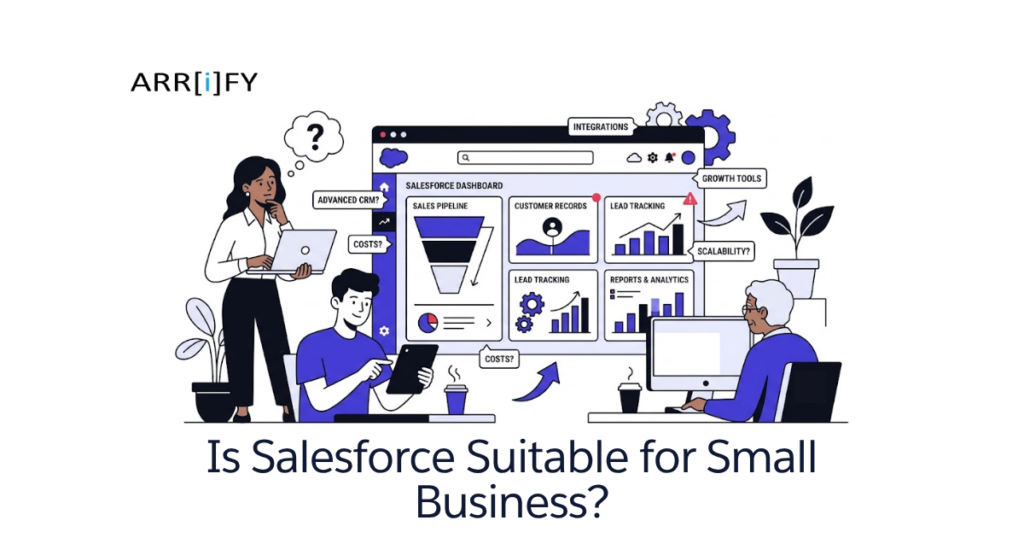
Salesforce is a cloud-based Customer Relationship Management (CRM) platform that helps businesses to manage their sales pipelines, customer interactions, leads, and daily operations from a single unified hub.
What Is Salesforce for Small Businesses?
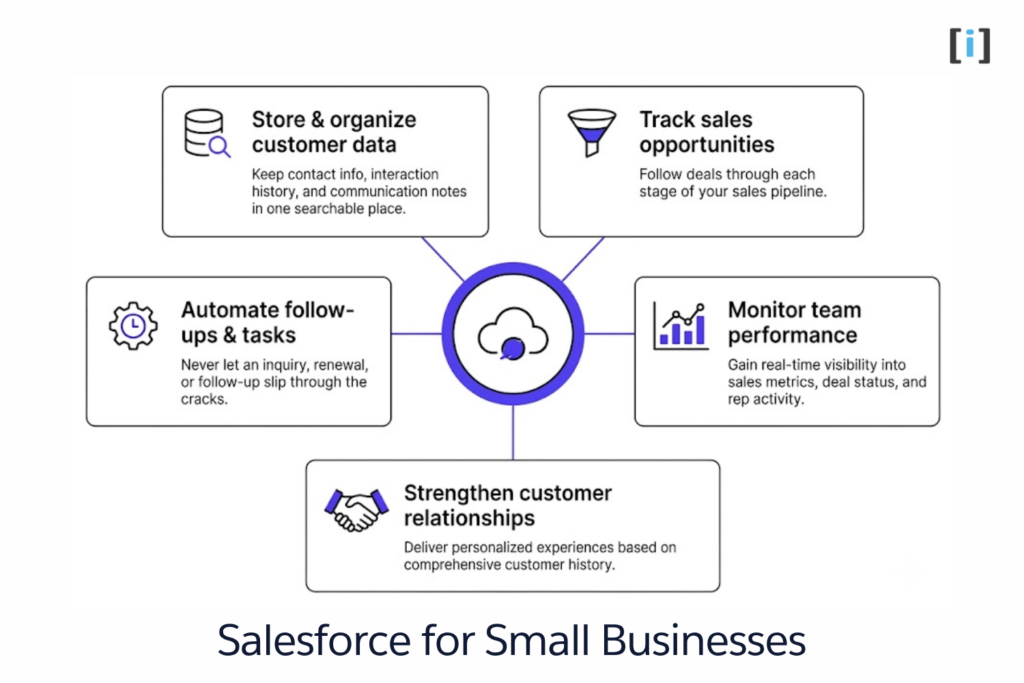
For small businesses, Salesforce acts as a centralized command center where you can:
- Store & organize customer data: Keep contact info, interaction history, and communication notes in one searchable place.
- Track sales opportunities: Follow deals through each stage of your sales pipeline.
- Automate follow-ups & tasks: Never let an inquiry, renewal, or follow-up slip through the cracks.
- Monitor team performance: Gain real-time visibility into sales metrics, deal status, and rep activity.
- Strengthen customer relationships: Deliver personalized experiences based on comprehensive customer history.
In simple terms, Salesforce helps small businesses stay organized, save valuable time, and make data-backed decisions instead of relying on guesswork.
Using Salesforce for small business is not about adopting every advanced enterprise feature on day one. It is about starting with what you need today and scaling seamlessly as your business grows.
Is Salesforce Only for Big Companies?
Many small business owners ask:
“Is Salesforce really meant for big companies only, or can a small business also benefit from it?”
A decade ago, the answer leaned heavily toward large enterprises. Salesforce required dedicated technical teams and substantial custom development.
Today, Salesforce has evolved significantly. The platform now offers:
- Accessible Entry Plans: Starter and Pro tiers designed specifically for small teams and startups.
- All-in-One Capabilities: Out-of-the-box Sales, Service, and Email Marketing in one unified dashboard.
- Intuitive Lightning UI: Clean, modern interface designed for rapid daily navigation.
- No-Code Automation: Visual automation builders via Salesforce Flow.
- Built-in AI (Einstein): Draft emails, summarize records, and prioritize high-value leads automatically.
- Turnkey Integrations: Native connectors for Gmail, Google Workspace, Microsoft 365, Slack, and QuickBooks.
These improvements make Salesforce practical, cost-effective, and accessible for businesses at every growth stage.
💡 Explore our Salesforce Quick Start Guide for Beginners to get up and running quickly.
Understanding the True Cost of Salesforce
When planning your budget for Salesforce, it is critical to look beyond the monthly subscription fee. Confusion around cost usually happens when businesses conflate two distinct expense categories:
- Software License Costs: The direct subscription fee paid to Salesforce for using the platform.
- Implementation & Maintenance Costs: The investment required to configure, integrate, and maintain the system to match your actual business processes.
Total Cost of Ownership = Software Licenses + One-Time Setup + Ongoing Maintenance1. Salesforce License Cost: What You Pay to Use the Platform
Your software license cost depends on three key factors:
- The product you select: (e.g., Sales Cloud, Service Cloud)
- The edition you choose: (e.g., Starter Suite, Pro Suite, Enterprise)
- The number of user licenses: How many team members require access to the platform
Salesforce provides a wide variety of editions, allowing businesses to start lean and upgrade as their sales processes mature.
Sales Cloud: Most Popular Choice for Small Businesses
One of the most commonly used products by small and growing businesses is Sales Cloud.
Sales Cloud manages your end-to-end sales lifecycle—from lead capture and opportunity tracking to deal closing and customer account management.
Sales Cloud Editions and Pricing

Salesforce offers tiered editions so you can begin with foundational features and upgrade as your operations mature.
(Note: Pricing is quoted per user/month and typically billed annually.)
| Edition | Price (per user/mo) | Best Suited For | Key Capabilities |
|---|---|---|---|
| Starter Suite | ~$25 | Startups & Micro-Teams (1–25 Users) | Simplified Sales, Customer Service, and basic Email Marketing out of the box. No coding required. |
| Pro Suite | ~$100 | Growing Small Businesses | Advanced sales automation, Flow automations, custom reporting, quoting/invoicing, and real-time chat. |
| Enterprise Edition | ~$165 – $175 | Scaling & Complex Businesses | Advanced custom workflows, custom Apex/LWC development, complete API access, and third-party integrations. |
| Unlimited Edition | ~$330 – $500 | High-Volume Enterprises | Built-in AI suites (Einstein 1), 24/7 dedicated support, and virtually unlimited customization. |
📘 Recommended Read: Salesforce’s official editions & pricing overview.
Other Popular Salesforce Products
While most small businesses begin with Sales Cloud, you can add complementary products as your operations expand:
Service Cloud
Omnichannel customer support, ticketing, and case management (priced similarly to Sales Cloud).
Marketing Cloud Account Engagement (formerly Pardot)
B2B marketing automation, lead scoring, and automated email nurture journeys.
Commerce Cloud
Digital storefronts, order processing, and payment management for e-commerce brands.
Most small businesses begin with Sales Cloud and only introduce additional clouds when customer demand warrants it.
2. Implementation and Maintenance Costs
A Salesforce subscription is just the starting point. The real value is unlocked when the platform is customized to fit your specific sales workflow and business processes. It can be done internally or with the help of a Salesforce expert.
📘 Recommended Read: Before configuring your system, check out our Salesforce Implementation Playbook for Small Teams to fast-track your rollout and avoid costly setup mistakes.
If You Choose Starter Suite or Pro Suite
Starter and Pro Suites are designed for quick onboarding and self-service configuration without deep technical coding:
- Configure standard objects: Tailor Lead, Account, Contact, and Opportunity fields to capture data specific to your industry.
- Import existing customer data: Clean and migrate spreadsheets or contact lists into Salesforce.
- Train your team: Onboard team members to log activities, track stages, and manage tasks.
If you have the time, much of this can be accomplished internally using Salesforce’s free learning platform, Trailhead. If you prefer professional assistance, hiring a freelance Salesforce Administrator typically costs between $60 and $120 per hour, with an initial setup requiring 20 to 40 hours ($1,200 to $4,800).
If You Choose Enterprise Edition
Enterprise Edition is designed for businesses that need custom workflows, advanced automation, and connections to other software tools.
- Declarative Automation: Multi-step business processes automated with Salesforce Flow.
- Custom Development: Programmatic logic using Apex, custom user interfaces with Lightning Web Components (LWC), and custom REST/SOAP API integrations.
- Professional Assistance: Unless you have internal technical expertise, you will likely need a certified Salesforce Developer or Consultant (rates generally range from $80 to $160 per hour).
You can build almost anything to match your business process. However, this also means the system becomes more complex.
Realistic Budget Blueprint for Small Businesses
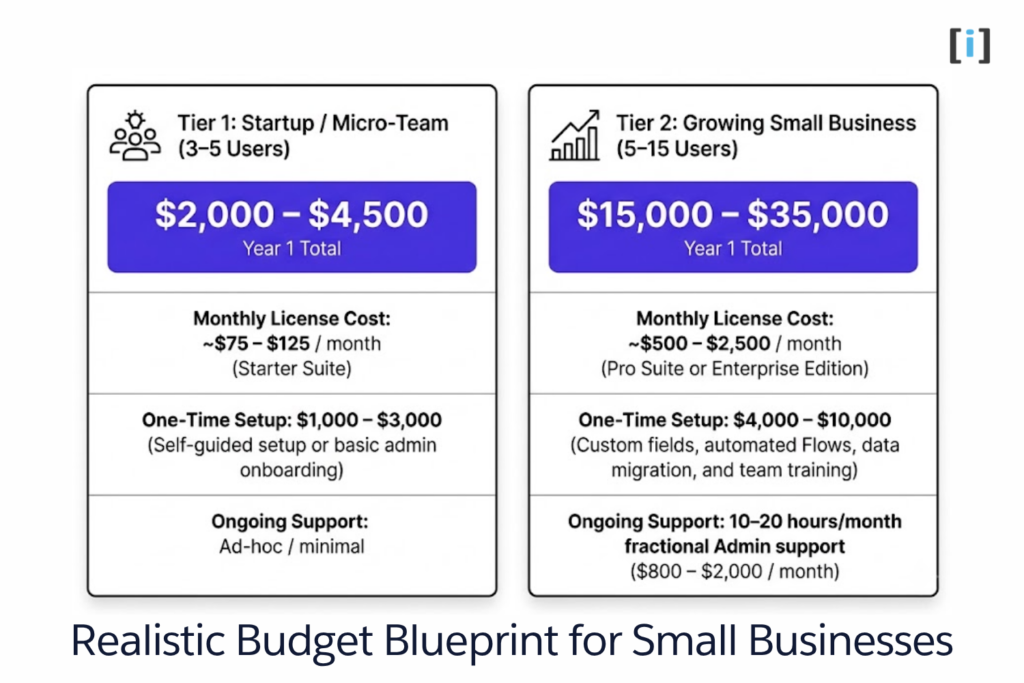
When estimating the true cost of Salesforce, it’s essential to look at the full financial picture. Your total investment consists of three components:
- Software Licenses (monthly/annual subscription)
- One-Time Setup (data migration, configuration, and team training)
- Ongoing Support (maintenance, new automations, and troubleshooting)
One-Time Setup Costs (Initial Investment)
Before your team logs in, you’ll need to configure the system to match your sales process.
Self-Service / Lean Setup ($500 – $2,000)
If you use the Starter Suite, you can handle most setup yourself via Trailhead, with only a few hours of help from a freelance consultant to verify your setup.
Professional Implementation ($3,000 – $8,000)
For teams using Pro Suite or Enterprise with custom fields, automated Flows, third-party integrations, and legacy data migration.
Monthly Budget Expectations
Tier 1: Startup / Micro-Team (3–5 Users)
- Monthly License Cost: ~$75 – $125 / month (Starter Suite)
- One-Time Setup: $1,000 – $3,000 (Self-guided setup or basic admin onboarding)
- Ongoing Support: Ad-hoc / minimal
- Estimated Year 1 Total Investment: $2,000 – $4,500
Tier 2: Growing Small Business (5–15 Users)
- Estimated Year 1 Total Investment: $15,000 – $35,000
- Monthly License Cost: ~$500 – $2,500 / month (Pro Suite or Enterprise Edition)
- One-Time Setup: $4,000 – $10,000 (Custom fields, automated Flows, data migration, and team training)
- Ongoing Support: 10–20 hours/month fractional Admin support ($800 – $2,000 / month)
Is Salesforce Right for You? (Pros & Cons for Small Businesses)
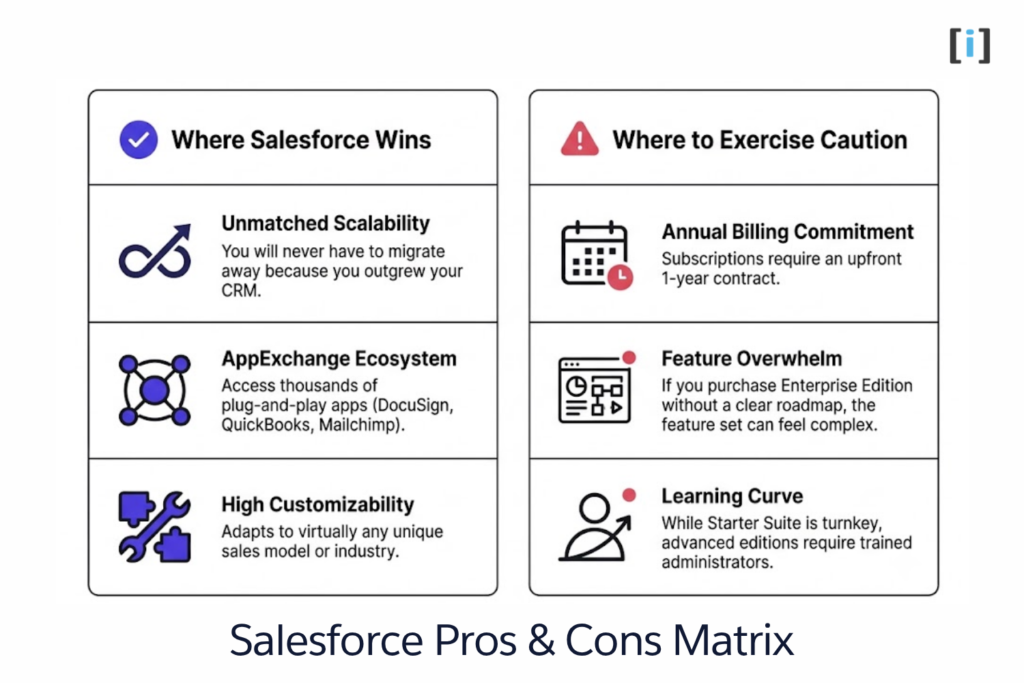
👍 Where Salesforce Wins:
- Unmatched Scalability: You will never have to migrate away because you outgrew your CRM.
- AppExchange Ecosystem: Access thousands of plug-and-play apps (DocuSign, QuickBooks, Mailchimp).
- High Customizability: Adapts to virtually any unique sales model or industry.
👎 Where to Exercise Caution:
- Annual Billing Commitment: Subscriptions require an upfront 1-year contract.
- Feature Overwhelm: If you purchase Enterprise Edition without a clear roadmap, the feature set can feel complex.
- Learning Curve: While Starter Suite is turnkey, advanced editions require trained administrators.
Evaluating the Return on Investment (ROI)
Management thinker Peter Drucker is often quoted as saying, “You can’t manage what you can’t measure.”Drucker means that you can’t improve what you don’t track. When you define clear metrics, you can accurately measure progress and make smart adjustments to hit your goals. Without reliable data, you’re simply guessing.
Why Measurement Matters in Business
Without clear data, it becomes difficult to know whether your business is actually moving in the right direction. You may feel busy every day, but still not know if those efforts are producing results.
When the right data is available, you can measure progress, spot problems early, and improve your process to reach better outcomes.
Common Business Challenges Salesforce Solves
Before thinking about return on investment, start by identifying the challenges you face today. These challenges may look simple, but they often have a big impact on revenue and efficiency.
- Missed Follow-Ups: Automated task reminders ensure leads are contacted promptly after meetings or inquiries.
- Scattered Customer History: Team members no longer need to dig through email threads, chat logs, and spreadsheets to reconstruct customer conversations.
- Lack of Sales Visibility: Real-time dashboards provide immediate insight into pipeline volume, conversion rates, and rep activity.
- Customer Retention & Value: Easily identify the top 20% of accounts generating 80% of your revenue and prioritize high-touch service.
Quick ROI Calculation:
- If automated follow-ups help your team close just 1 to 2 extra deals per month, how much gross revenue does that add annually?
- If eliminating repetitive data entry saves each sales rep 4 to 5 hours every week, how many more client conversations can they conduct?
For most businesses, closing even one additional deal per quarter easily offsets the entire annual subscription.
💡 Tip: Boost Your Salesforce Productivity: A 10-Minute Best Practices Guide
Defining Your CRM Needs: Current vs. Future
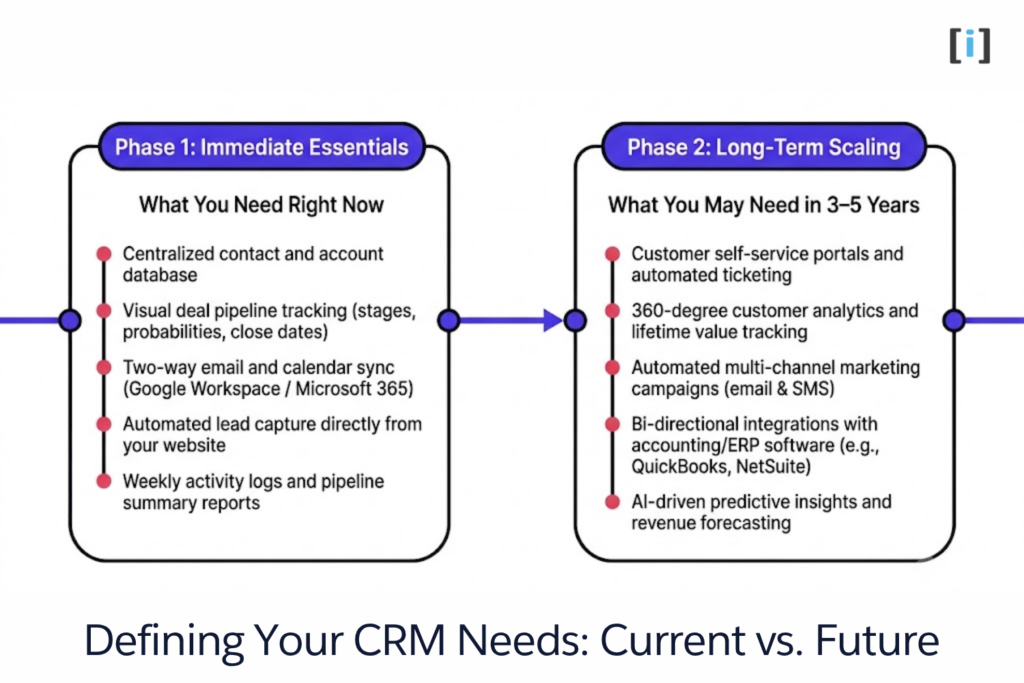
Before purchasing any CRM, having clear requirements is essential. Evaluate both your immediate necessities and your 3–5 year roadmap.
What You Need Right Now (Phase 1)
Start by listing what you expect from a CRM at this moment. Focus on daily and monthly activities that directly affect your business. For many small businesses, this usually includes:
- Centralized contact and account database
- Visual deal pipeline tracking (stages, probabilities, close dates)
- Two-way email and calendar sync (Google Workspace / Microsoft 365)
- Automated lead capture directly from your website
- Weekly activity logs and pipeline summary reports
These are the basics that help you stay organized and avoid missing important opportunities.
What You May Need in 3–5 Years (Phase 2)
Once your current needs are clear, think long-term. Your business will grow, and your CRM should grow with it. In the future, you may need features such as:
- Customer self-service portals and automated ticketing
- 360-degree customer analytics and lifetime value tracking
- Automated multi-channel marketing campaigns (email & SMS)
- Bi-directional integrations with accounting/ERP software (e.g., QuickBooks, NetSuite)
- AI-driven predictive insights and revenue forecasting
💡 Tip: Discover the top 6 reasons why businesses choose Salesforce.
Why Long-Term Thinking Matters
Migrating from one CRM to another later is costly and disruptive. It requires extensive data migration, process restructuring, and user retraining that can slow down your business operations.
Salesforce stands out because of its exceptional scalability. You can begin with a simple, budget-friendly setup today, confident that the underlying platform can expand to support complex enterprise workflows whenever you are ready.
Conclusion
Salesforce is no longer an enterprise-only luxury. With modern entry-level options like Starter Suite and Pro Suite, small businesses can access enterprise-grade CRM capabilities with minimal friction and transparent pricing.
The secret to success is to start small: choose the edition that matches your current workflow, configure the essential fields and pipelines, and expand your automation as your revenue grows.
FAQs
Is Salesforce suitable for small businesses and startups?
Yes. With the introduction of the Salesforce Starter Suite at $25 per user/month, small businesses can manage leads, deals, customer service cases, and email marketing from a single platform without needing custom programming.
Is Salesforce expensive for small businesses?
It depends on the edition and implementation strategy. Starting with Starter Suite or Pro Suite keeps software costs predictable. Keeping your initial customization focused strictly on core sales workflows prevents unnecessary consulting expenses.
Can I implement Salesforce on my own?
Yes. Starter Suite and Pro Suite are built for self-guided onboarding with pre-configured templates. For Enterprise Edition or complex integrations, engaging a certified Salesforce Administrator or Consultant ensures best practices are followed from day one.
Is Salesforce better than other small business CRMs for long-term growth?
Yes. Lightweight CRMs are quick to set up, but growing companies frequently outgrow their data structures and automation limits within 2–3 years. Salesforce eliminates the need to migrate platforms later because it scales from a 2-person team to thousands of users.