Gravity Form
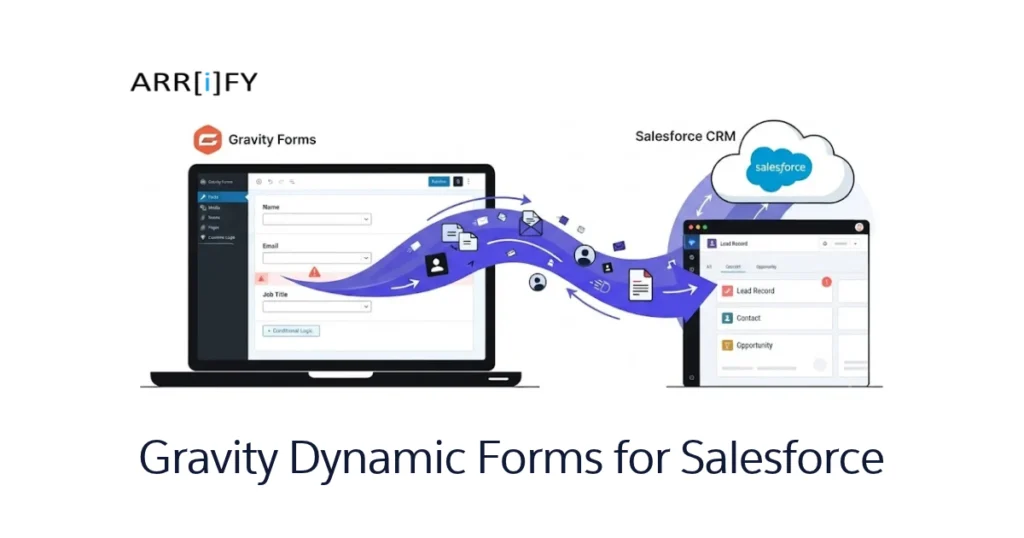
You need a form on your website that captures leads, registrations, or applications — and you need that data to land directly in Salesforce without manual entry. That’s exactly what Gravity Forms does. It’s a WordPress plugin that lets you build dynamic, professional forms with a drag-and-drop builder, and push every submission straight into your Salesforce org.
Unlike SaaS form tools, Gravity Forms runs on your WordPress server. Your data never passes through a third-party platform — it goes from your website to Salesforce, and that’s it. No middleman storing your submissions, no data privacy concerns.
With Gravity form:
- Users can create a dynamic form without using code
- Price is starting from $59/User/Year
- Click-based integration with Salesforce
- Provides multiple themes and mobile-friendly
- Offers record creating as well as update
- As it is hosted on your own server, no risk of data leakage
- Can be customized with the help of code
Gravity Forms is one of the most cost-effective ways to create dynamic public forms that push data directly into Salesforce — starting at just $59/year.
How does Gravity form work?
Users can download the gravity form plugin and install it on their own WordPress site. It enables WordPress site to create form dynamically. Code of gravity form runs on PHP server.
Later it can also be configured to push data into Salesforce. It supports all the key operations — creating records, searching for existing records, and updating them.
Pricing Plan Of Gravity Form
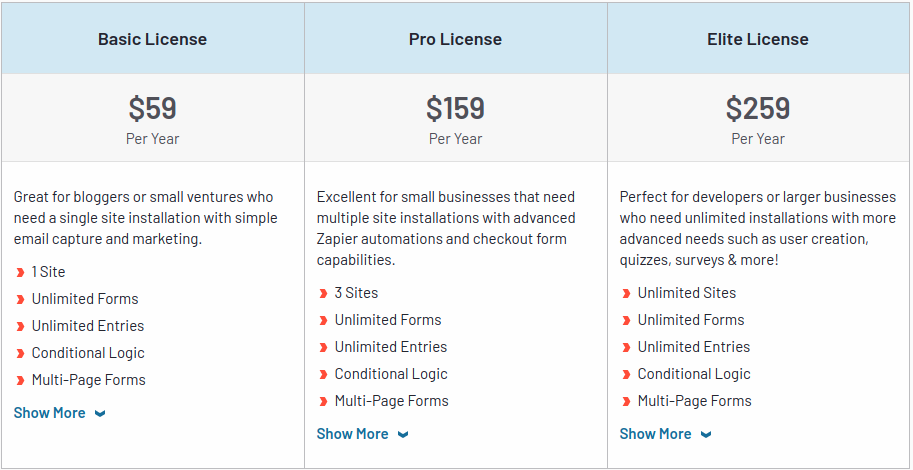
Salesforce Users can purchase any of the gravity form subscriptions as all of the plans are compatible with Salesforce. There are three plans of Gravity Form:
| Plan | Basic License | Pro License | Elite License |
|---|---|---|---|
| Price (Per User, per Year) | $59/year | $159/year | $259/year |
| Salesforce Integration | ☑️ | ☑️ | ☑️ |
| Webhooks Add-on | ➖ | ➖ | ☑️ |
| Priority Support | ➖ | ➖ | ☑️ |
| Sites Installations | 1 site | 3 site | Unlimited sites |
Features of Gravity Forms
Gravity form provides features that give the user more control on form without using code. Some of them are as follows:
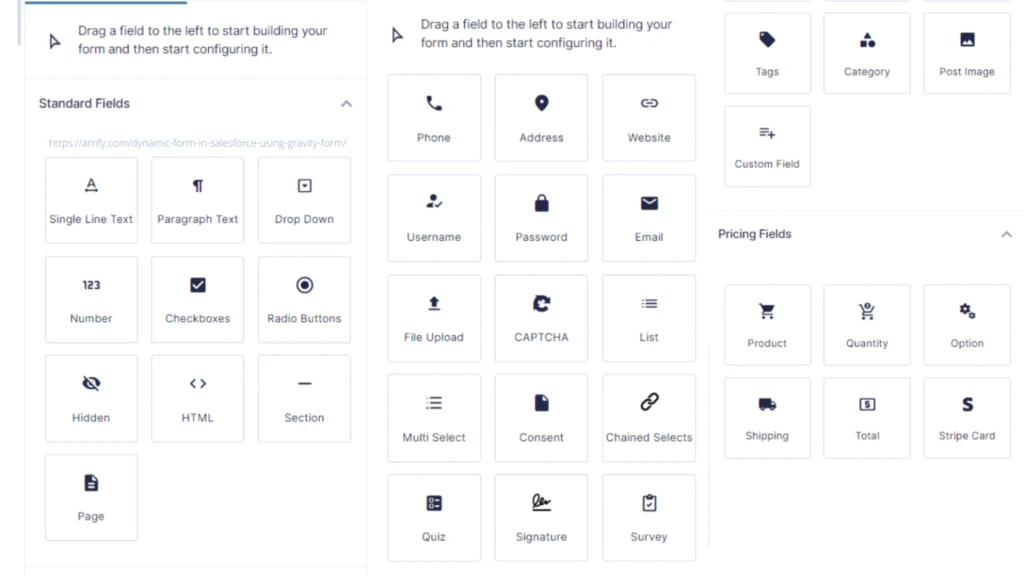
Drag & Drop Tool
In Gravity form, users get a visual drag and drop tool that helps in adding new fields by dragging and dropping them in form. Some of the types of the field is shown below:
Conditional Logic
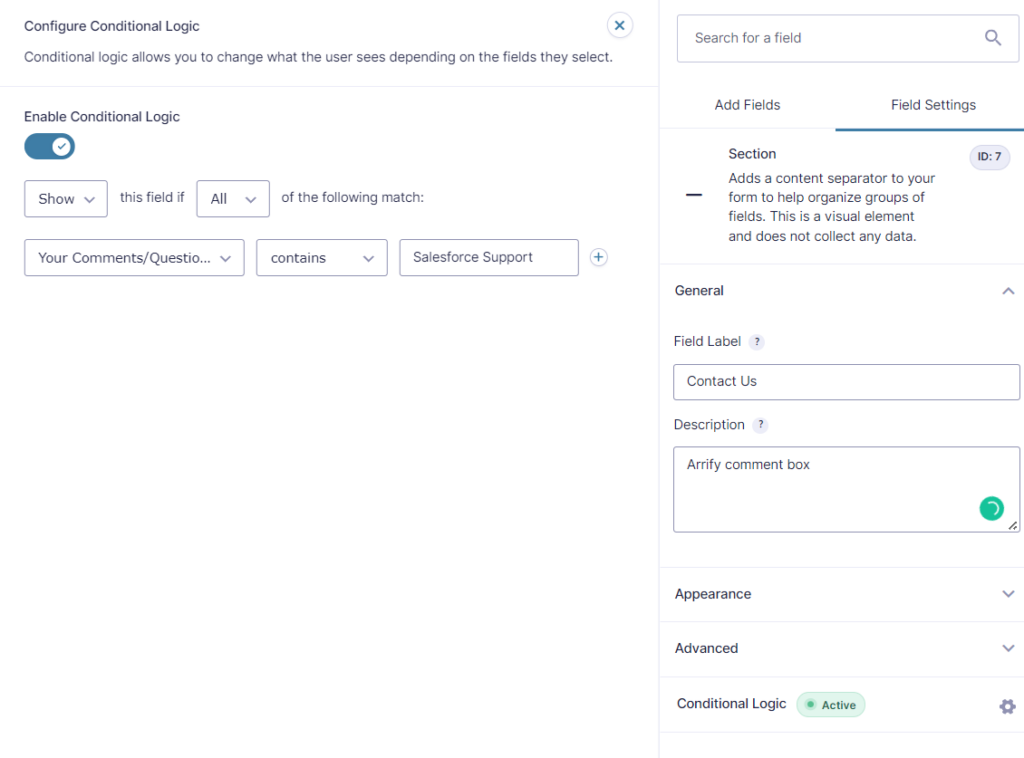
This is one of the most important features of Gravity forms. With conditional logic, the user can put a condition to show or hide fields of your form based on what data was entered in the previous field by the user. Conditional logic is very robust and also you can easily create simple or complex conditional logic according to requirements.
Security and Reliability
Gravity Form runs on the user’s website server. That’s why your data is yours. No one can see without your permission.
Entry management
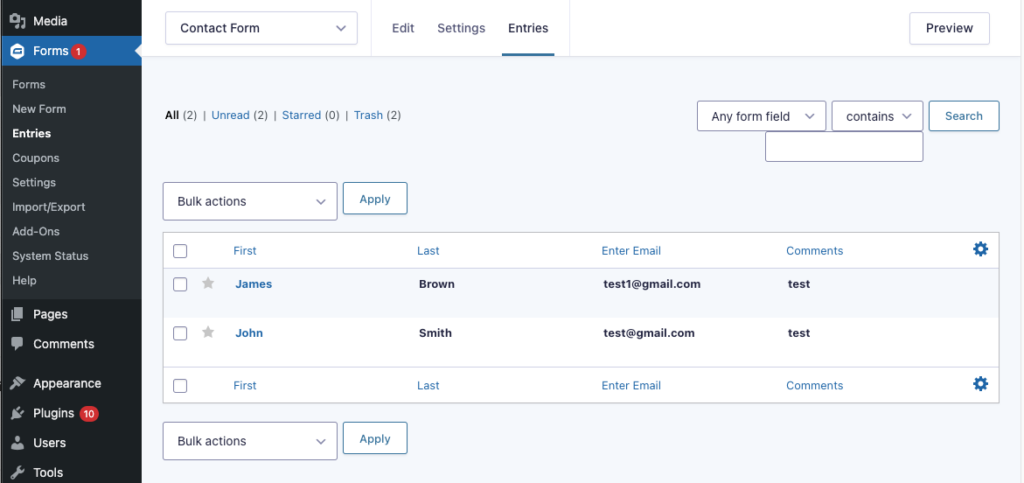
Gravity forms stores all their form submissions responses as entries. Users can find entries from Entries Tab. Entries can be viewed, edited, marked as spam, or moved to trash.
Entries are especially useful during testing — you can verify that submissions are capturing the right data before going live.
Send Email Notifications
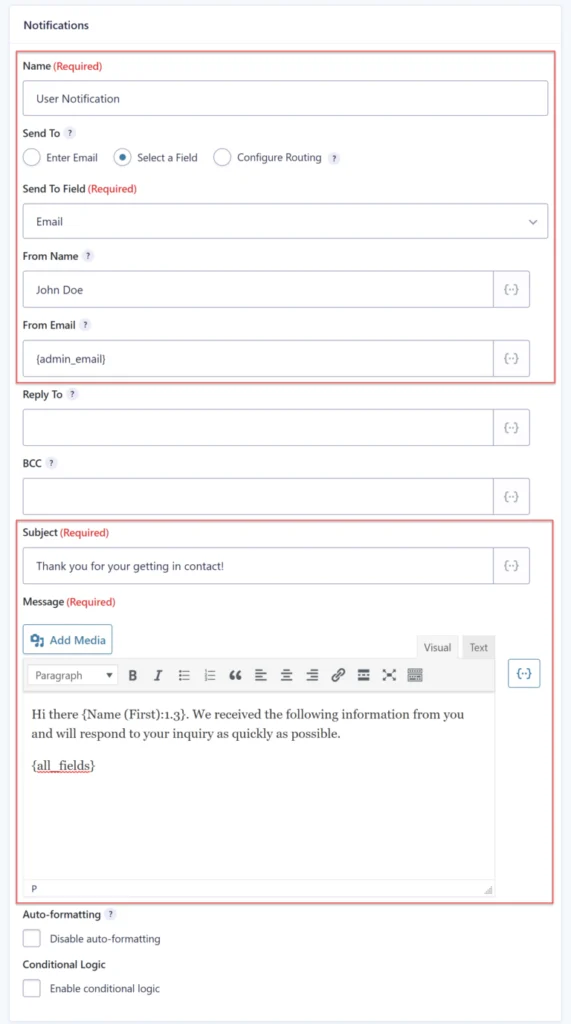
With this feature, Users can send emails to anyone. Also, It has multiple emails set up for form submissions with conditional logic. i.e. Users can get emails, based on condition logic.
With this feature, you can send emails to anyone on form submission. Gravity Forms supports multiple email notifications per form with conditional logic — so different submissions trigger different emails. These work well alongside Salesforce’s own classic email templates for follow-up communication.
For Example, suppose that you have a company and the contact us form has an option to select the query type with the option of sales, technical and general query. Then the email should be only delivered to that department according to your select option for the query. This type of scenario can be achieved by the conditional logic of Gravity Forms notifications.
Limitations On Entries
Gravity forms provide some restrictions, To use them you can put them into your form. For example, you can set the maximum number of submission entries that restricts to making of countless entries by users. Entries can be put limits according to per day, per week, per month, per year, and the total number of entries. Once the entry limit is reached then the user will get notified.
Save Form Partially
It allows users to fill the form partially and they are able to fill the form later. This feature can be found under form settings.
Schedule Form
In this, the user can schedule the form on particular days and at a particular time. Once you have created a form then you can use it on a timely bases. whenever a user tries to access a form that has not been scheduled for that day then you can show custom messages with information about it.
Prevent Spam Submissions
Gravity Forms have Google ReCaptcha and an anti-spam honeypot that helps us to prevent spam submissions.
Preview Form
If you have created a form and want to see how it will look before you publish it to your users then you can use the preview option that shows the current view of your dynamic form.
Require User Login
When you want to restrict your form with who is not logged in then you can put a condition for it.If someone who is not logged in then You have option to set a custom message for them. The best thing about this is that you can add a links using HTML in you custom message that can point to the login or registration page of your website.
Use Cases Of Gravity Forms
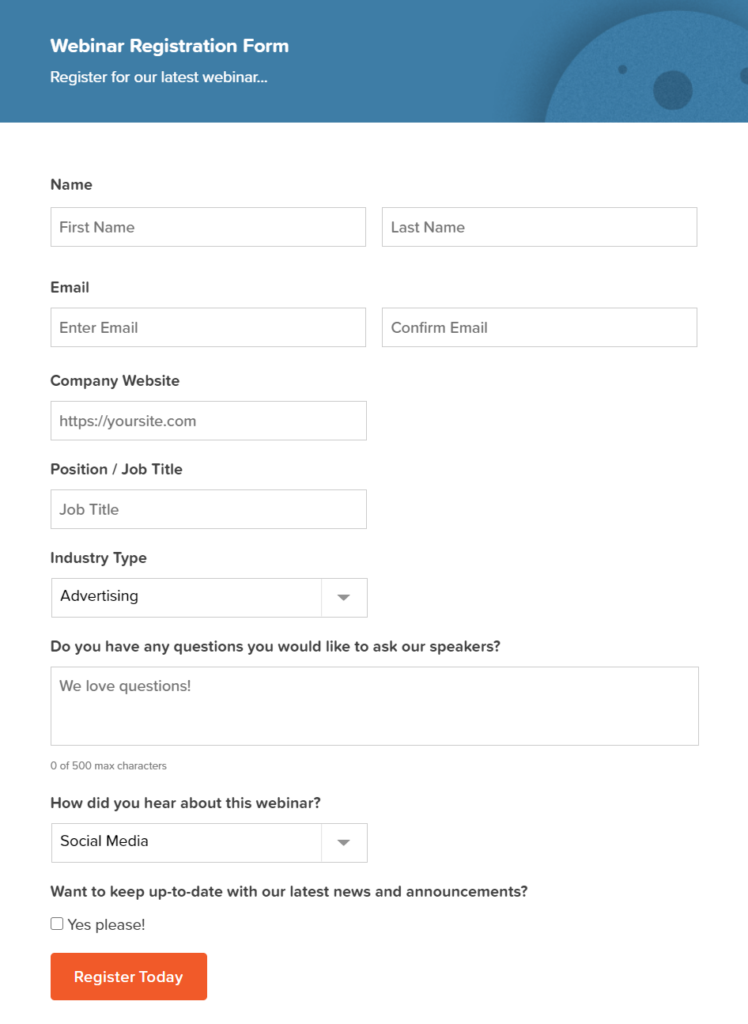
Register Your Upcoming Webinar
Gravity Form helps us to create a web form for registering upcoming webinar and make it publicly available to collect leads, connect and target audience data.
Leads Generation for Your Business
Lead generation is the main motive for all businesses. The organization wants to generate lead as much as possible from all of the sources like advertising your product, live show webinar etc. Generation lead through a web form is one of the best lead sources among them.
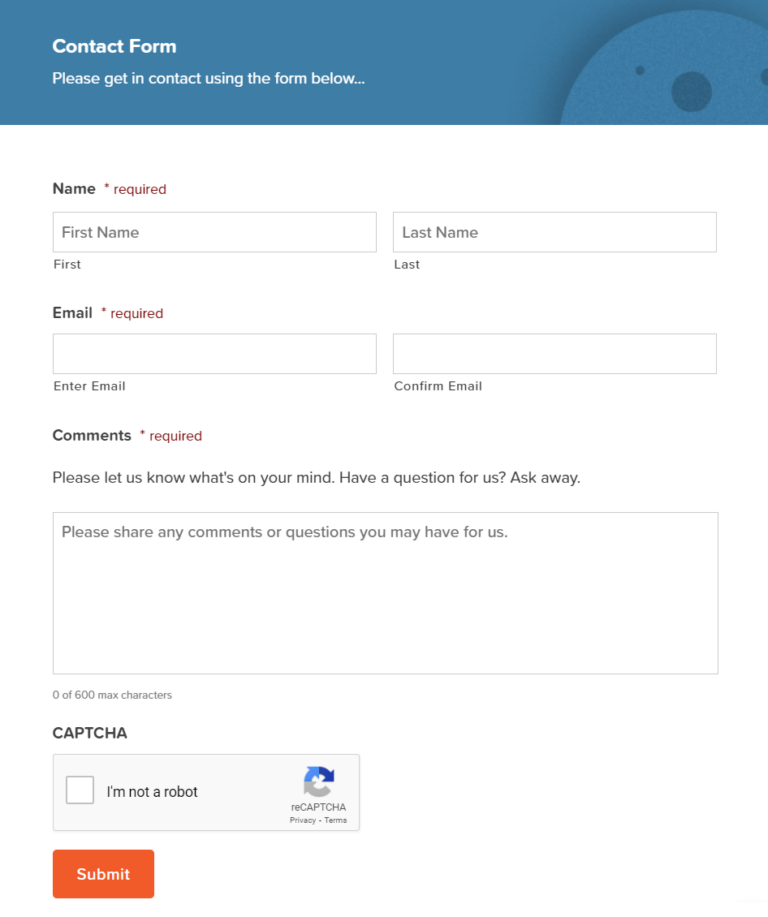
Gravity Forms helps you create dynamic web forms and make them publicly available to capture customers’ data as leads. Once configured, submissions automatically create lead records in Salesforce — no manual data entry needed.
Make Professional Application Form
If you are running a business and need to hire for new jobs and positions then you will need a form web builder that can create professional application forms for your company.
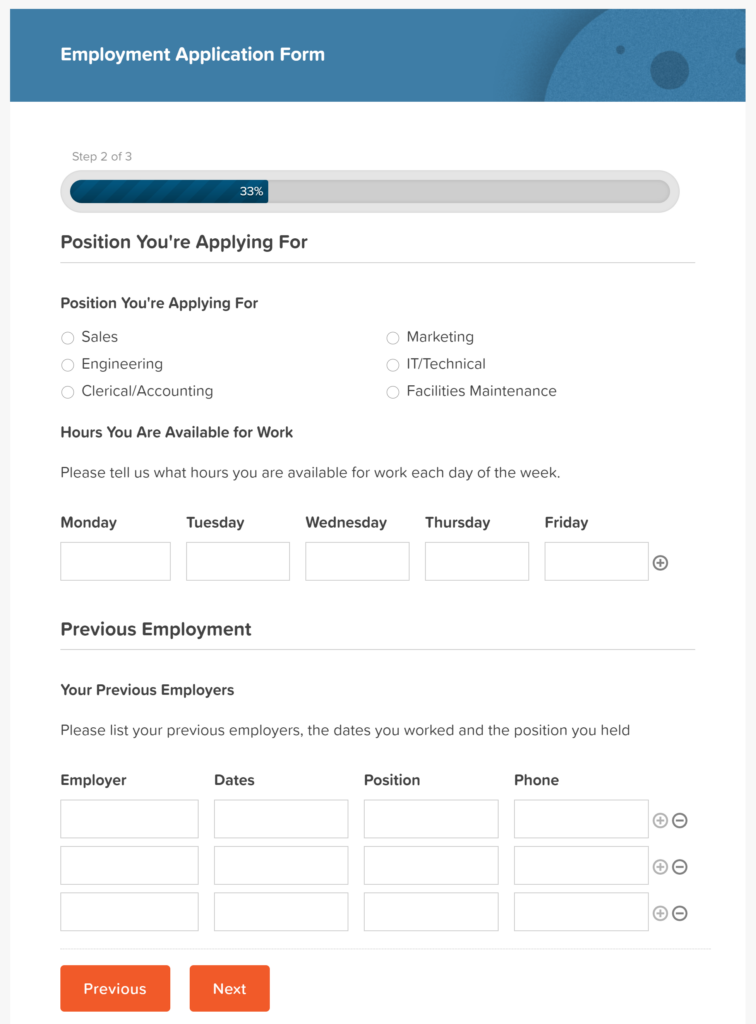
Gravity Form holds various features that allow you to design a custom application form according to your company’s requirements. Also, you easily add a file upload field to your form to allow applicants to upload their CV or resume. User can configure gravity form to create applicants in Salesforce along with file attachments.
Sell Things Online
If the user needs to create an e-Commerce form for a website that holds product details and provides buyers with a payment option for that product then you should use the gravity form for it.
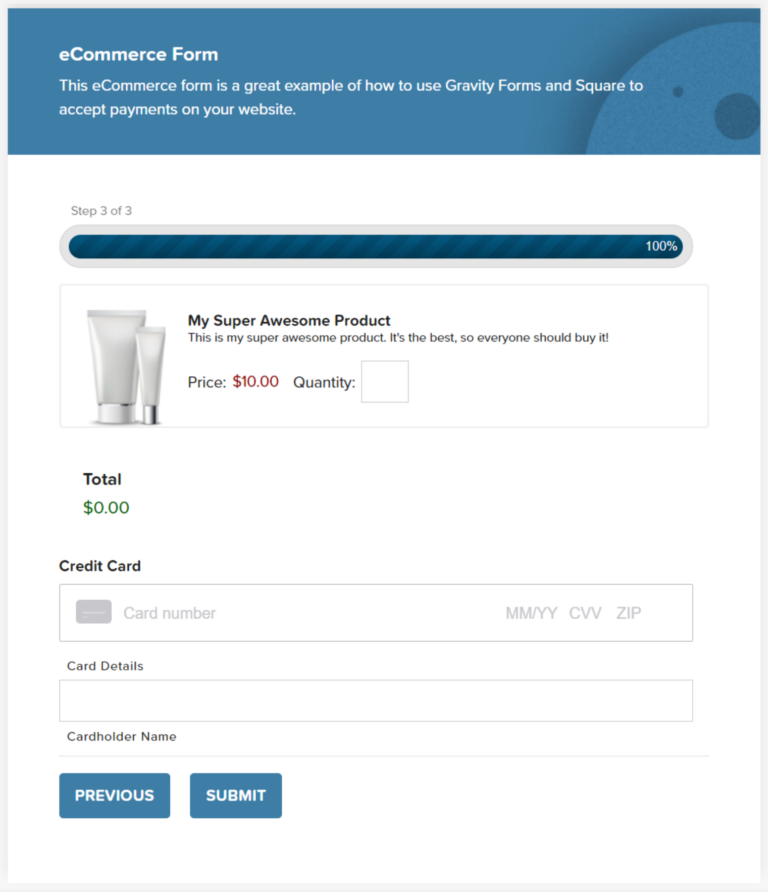
Gravity Forms offers advanced functionalities like payment fields. It easily integrates with payment processors’ third-party platforms like PayPal, Square, Authorize.net, Mollie, and many more. They enable you to accept currencies from across the globe. so you can integrate your forms with third party and make easy payments with products.
Once a purchase is complete, Gravity Forms can create an opportunity in Salesforce and automatically close it at the “Closed Won” stage.
Create Survey Form
In every organization, feedback is the most important factor. To check your product or service qualities from live users that help to improve product and service.
Gravity Forms allows you to interact with your users to collect and analyze on that data. Later this feedback can be pushed into salesforce and with the help of reports, users can get the essence of the survey.
Gravity Forms Alternatives for Salesforce
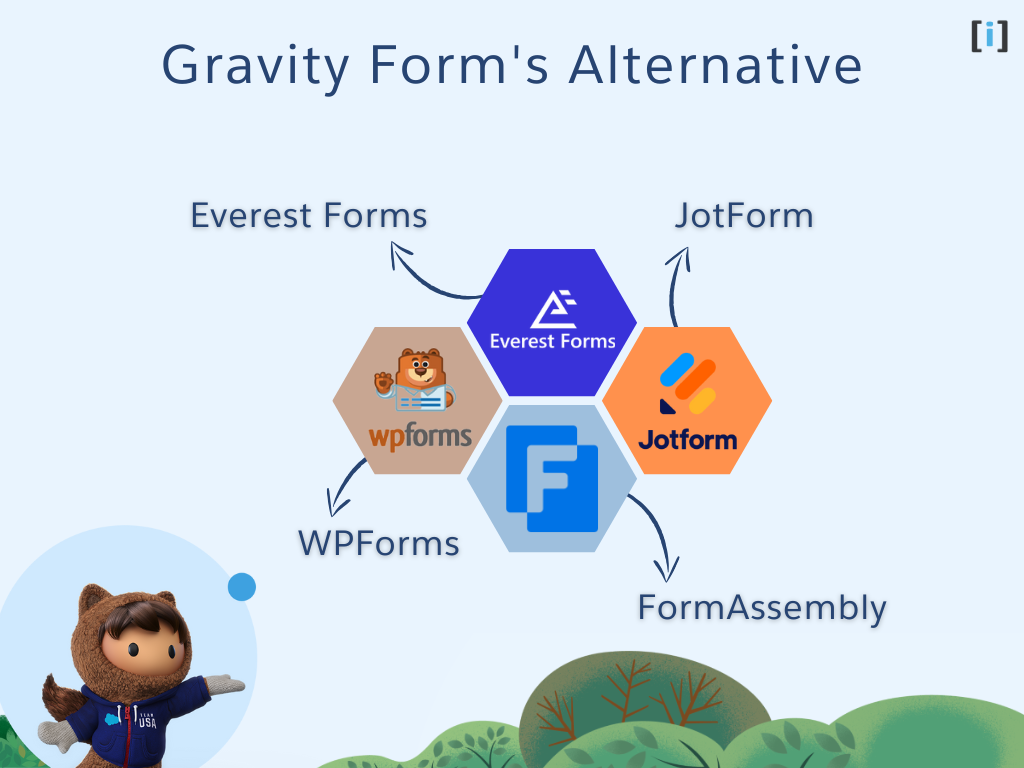
Gravity Forms isn’t the only way to build Salesforce-connected forms. Here’s how the main alternatives compare on price, hosting, and native CRM support — so you can pick the right tool for your setup.
| Tool | Starting Price | Salesforce Integration | Hosted On | Best For |
|---|---|---|---|---|
| Gravity Forms | $59/yr (Basic) | ✅ Native add-on | WordPress (self-hosted) | Full CRM integration + budget-friendly |
| JotForm | Free / $34/mo (Bronze) | Via third-party integration | JotForm (SaaS) | Quick forms without WordPress |
| FormAssembly | ~$99/mo (Explorer) | ✅ Native (deep multi-object) | FormAssembly (SaaS) | Enterprise compliance (HIPAA, FedRAMP) |
| WPForms | $49.50/yr (Basic) | Via Elite plan ($299.50/yr) | WordPress (self-hosted) | Simple WordPress forms |
| Everest Forms | $49/yr (Personal) | Via third-party add-on | WordPress (self-hosted) | Budget WordPress option |
Which should you choose? If you’re already on WordPress and need direct Salesforce sync without monthly SaaS fees, Gravity Forms gives you the best value at $59/yr. Choose FormAssembly if your org requires enterprise-grade compliance (HIPAA, FedRAMP) and deep multi-object Salesforce mapping. Go with JotForm if you don’t run WordPress and just need a quick hosted form with basic Salesforce connectivity.
Purpose Of Use Gravity Form In Salesforce
Seamless Integration
When a Gravity Form is submitted, responses are automatically sent to your Salesforce org via the Salesforce integration add-on. This makes it a key part of your overall Salesforce automation strategy.
Perform Data Manipulation Operations In Salesforce
whenever a customer/prospect submits a form on your website then automatically new record is created in your Salesforce. Also, you can update any object records which already exist in your Salesforce org.
Email Automation
With this integration, you can automatically send Emails whenever the form is submitted successfully.
With this integration, you can automatically send emails whenever a form is submitted. For more advanced post-submission automation, you can pair Gravity Forms with Salesforce Flow to trigger follow-up tasks, assignments, or approval processes.
If the user is ready to integrate Salesforce with WordPress, this post breaks it down clearly: How to Connect Gravity Forms to Salesforce in 8 Steps.
Conclusion
If you need a reliable way to build dynamic public forms on WordPress and push submissions directly into Salesforce, Gravity Forms is hard to beat. At $59/year, it costs a fraction of SaaS alternatives like FormAssembly ($99+/month) — and because it runs on your own server, your form data never leaves your hosting environment.
The drag-and-drop form builder, conditional logic, native Salesforce field mapping, and entry management tools make it a complete solution for lead capture, webinar registration, application forms, and more. Whether you’re a solo Salesforce admin or part of a larger team, the setup is straightforward and code-free.
Ready to get started? Download Gravity Forms, install the Salesforce Add-On, and follow our integration guide above to connect your first form. Need hands-on help? Contact our team — we specialize in Salesforce + WordPress integrations.
FAQs
What does Gravity Form cost to use with Salesforce?
Gravity subscription plan starts from $59 per year which supports the Salesforce add-on. It runs on a WordPress site.
Does Gravity Form have a trial version?
Gravity Forms doesn’t offer a free trial, but it provides an interactive live demo where you can test the drag-and-drop form builder, conditional logic, and field types — no account required. All plans include a 30-day money-back guarantee.
Do I need to hire a developer while using Gravity Form?
Not necessarily. If you’re familiar with WordPress, you can install Gravity Forms and configure the Salesforce add-on yourself — the setup is click-based, with no code required. For more complex setups (custom field mapping, multi-object feeds, or conditional logic), it’s worth getting professional help. Hire a Salesforce expert or contact us to get started.
Why gravity form is the best solution?
Gravity Forms is the most cost-effective Salesforce form builder at $59/year — compared to $99+/month for SaaS alternatives like FormAssembly. It runs on your own WordPress server, so form submission data never leaves your hosting environment. You get a drag-and-drop builder, conditional logic, native Salesforce field mapping, and full WordPress SEO benefits — all without recurring per-user SaaS fees.
How do I connect Gravity Forms to Salesforce?
Install the Gravity Forms Salesforce Add-On (included with all license tiers), then authorize your Salesforce org via OAuth in the plugin settings. Next, create a feed on your form: choose the Salesforce object (Lead, Contact, or any custom object), map your form fields to the corresponding Salesforce fields, and enable the feed. Submit a test entry to verify the record appears in Salesforce. For a full walkthrough, see our step-by-step integration guide above.
Can Gravity Forms update existing Salesforce records?
Yes. The Salesforce Add-On supports an “upsert” operation — it checks for an existing record using a matching field (typically Email or an External ID) and updates it instead of creating a duplicate. Enable this in your feed settings under the duplicate handling option. This is useful for progressive profiling, where returning visitors add more data to their existing Lead or Contact record over multiple form submissions.