What Makes Lightning Web Components Different
You’re a JavaScript developer. You know React, or Vue, or maybe Angular — and your company just told you they need custom UI components built on Salesforce.
The thought of learning a proprietary framework just to build a button component? Not appealing.
That’s exactly the problem Lightning Web Components (LWC) was designed to solve. Instead of forcing developers to learn Salesforce’s older Aura framework, LWC lets you use the JavaScript skills you already have — ES6+ classes, modules, decorators — and build directly on the Lightning platform.
LWC isn’t just another framework. It’s a thin abstraction layer on top of native web standards (Web Components, Shadow DOM, Custom Elements). The code you write is closer to the browser, faster to render, and easier to debug with standard browser DevTools.
What Exactly Is a Lightning Web Component?
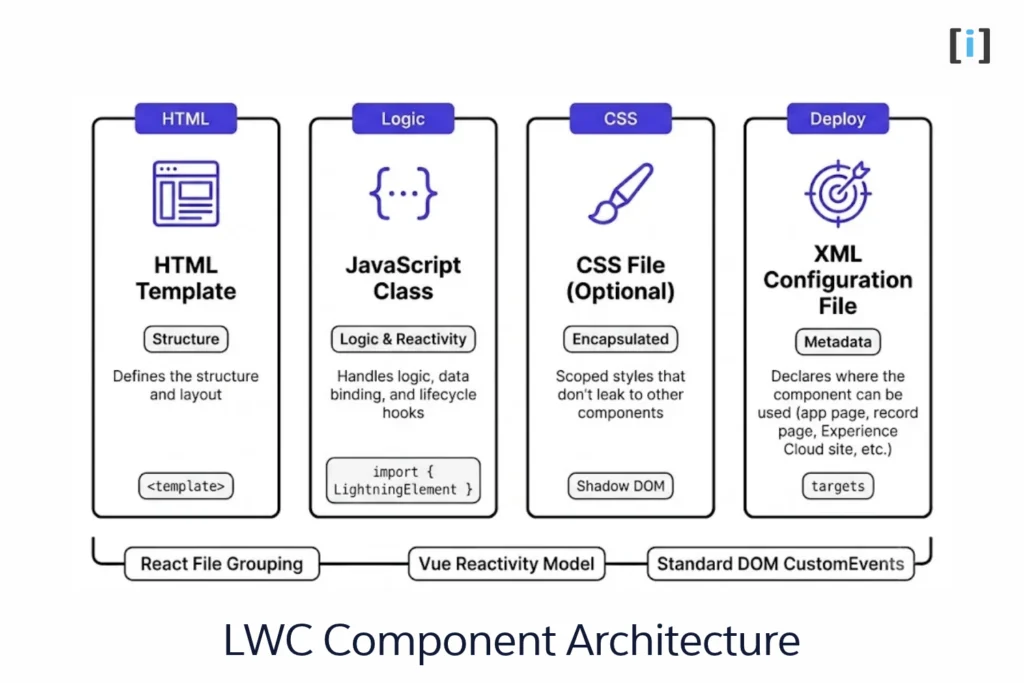
A Lightning Web Component is a reusable UI building block for the Salesforce platform. Each component consists of:
- An HTML template — defines the structure and layout
- A JavaScript class — handles logic, data binding, and lifecycle hooks
- A CSS file (optional) — scoped styles that don’t leak to other components
- An XML configuration file — declares where the component can be used (app page, record page, Experience Cloud site, etc.)
Your First Lightning Web Component
Here’s a simple component to show how clean LWC code is:
helloWorld.html
<template>
    <lightning-card title="Hello World" icon-name="custom:custom14">
        <div class="slds-m-around_medium">
            <p>Hello, {greeting}!</p>
            <lightning-input label="Name" value={greeting} onchange={handleChange}>
            </lightning-input>
        </div>
    </lightning-card>
</template>
helloWorld.js
import { LightningElement } from 'lwc';

export default class HelloWorld extends LightningElement {
    greeting = 'World';

    handleChange(event) {
        this.greeting = event.target.value;
    }
}
helloWorld.css (Optional)
/* Scoped styles that only apply to this component */
p {
    font-size: 1.2rem;
    font-weight: 600;
    color: #0176d3;
    margin-bottom: 0.5rem;
}
helloWorld.js-meta.xml
<?xml version="1.0" encoding="UTF-8"?>
<LightningComponentBundle xmlns="http://soap.sforce.com/2006/04/metadata">
    <apiVersion>60.0</apiVersion>
    <isExposed>true</isExposed>
    <masterLabel>Hello World</masterLabel>
    <description>A simple Hello World Lightning Web Component</description>
    <targets>
        <target>lightning__AppPage</target>
        <target>lightning__RecordPage</target>
        <target>lightning__HomePage</target>
    </targets>
</LightningComponentBundle>
If you’ve used React, this should feel familiar — reactive properties, event handlers, and template binding. The difference is that LWC uses native browser APIs instead of a virtual DOM, which means less JavaScript overhead and faster rendering.
- Scoped CSS: The CSS styles are encapsulated via Shadow DOM semantics, meaning styles applied to
pwill never bleed outside or break other components on the page. - Metadata Configuration: Setting
<isExposed>true</isExposed>inhelloWorld.js-meta.xmlmakes the component available in Lightning App Builder, while<targets>specifies where admins can drag and drop it (such as App Pages, Record Pages, and Home Pages).
If you’ve worked with any modern JS framework, this pattern will feel familiar. The file structure mirrors React (component files grouped by function), the reactivity model is similar to Vue (tracked properties trigger re-renders), and the event system uses standard DOM CustomEvents.
The learning curve is measured in days, not months — especially if you’re already comfortable with ES6 modules and template literals.
The Problem with Fragmentation
Previously, companies that wanted to develop apps for Lightning had to hire specialized profiles in the Aura programming model, which was exclusive to Salesforce. However, this caused a problem of fragmentation as developers had to learn multiple languages, and the code created with one framework was not compatible with the rest. This meant that work done in the React or Angular community was not applicable to the Lightning platform.
The Benefits of Lightning Web Components
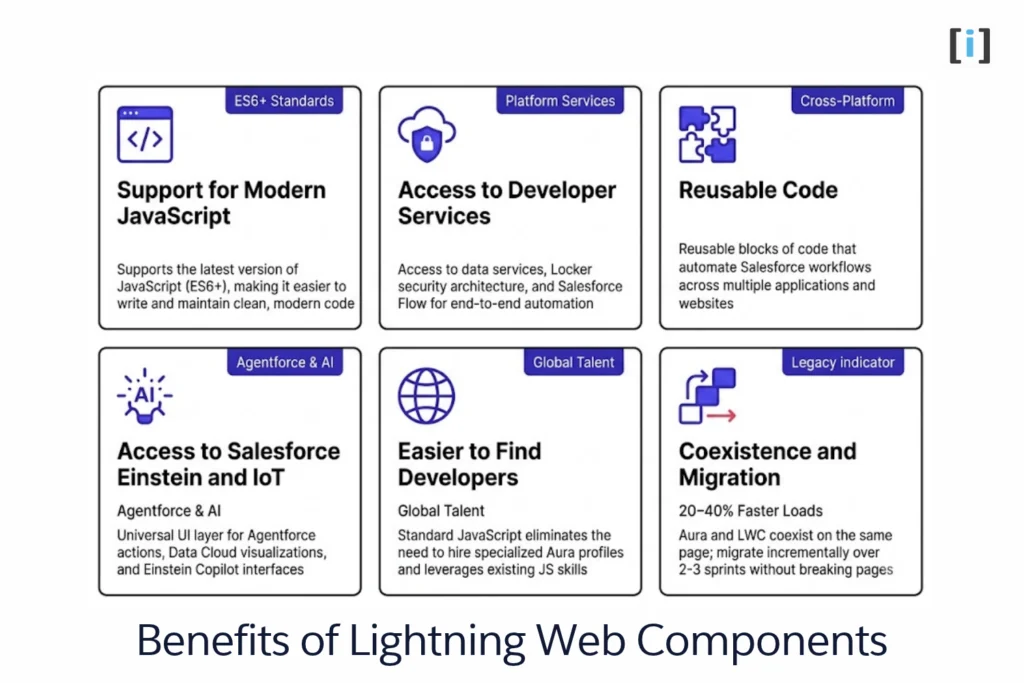
With Lightning Web Components, Salesforce is now able to offer the best of modern JavaScript (supporting ES6+) and the best of the already extensive catalog of developer services that includes the Lightning platform. This includes access to data services and security measures through Locker.
Support for modern JavaScript
Lightning Web Components supports the latest version of JavaScript, ES6+, which allows developers to use the latest features and syntax. This makes it easier for developers to write and maintain code, and to take advantage of the latest advancements in the language.
Access to developer services
Lightning Web Components provides access to a wide range of developer services offered by the Lightning platform. This includes data services like Salesforce Flow for automation, security measures, and other tools that make it easy for developers to create powerful and robust apps.
Reusable code
Components are the key to Lightning. Working with these reusable blocks of code makes it easier for developers to create and maintain apps that automate Salesforce workflows, and allows for code to be reused across multiple applications and websites.
Access to Salesforce Einstein and IoT
LWC is the UI layer for Salesforce’s AI features. With Agentforce (Salesforce’s AI agent platform, launched in 2024), developers build agent actions and prompt templates that render through LWC components. Data Cloud visualizations, Einstein Copilot interfaces, and predictive analytics dashboards — they’re all LWC under the hood. If you’re working on any AI-related Salesforce feature, you’re working with LWC.
Easier to find developers
The use of JavaScript as a programming model makes it easier for Salesforce customers to find developers who are already familiar with the language, and eliminates the need to hire specialized profiles in the Aura programming model.
Coexistence and Migration
Aura and LWC components coexist on the same Lightning page. An Aura component can contain LWC children (but not the other way around), so teams can migrate incrementally — replacing one component at a time without breaking the page. We’ve seen teams complete full Aura-to-LWC migrations over 2-3 sprints, and the performance improvement is typically 20-40% faster page loads. Salesforce also provides a migration guide that maps Aura concepts to their LWC equivalents.
Future developments and plans for Lightning Web Components
In the future, Salesforce plans to continue to improve and develop Lightning Web Components, with a focus on:
- Improved performance and scalability: Salesforce is committed to making Lightning Web Components perform faster and scale better to handle large data sets and complex apps.
- Improved developer experience: Salesforce is working to make it easier for developers to use Lightning Web Components, including providing better documentation, tutorials, and sample code.
- Improved integration with other technologies: Salesforce is working to make it easier for developers to integrate Lightning Web Components with other technologies, such as React and Angular.
Resources for Lightning Web Components
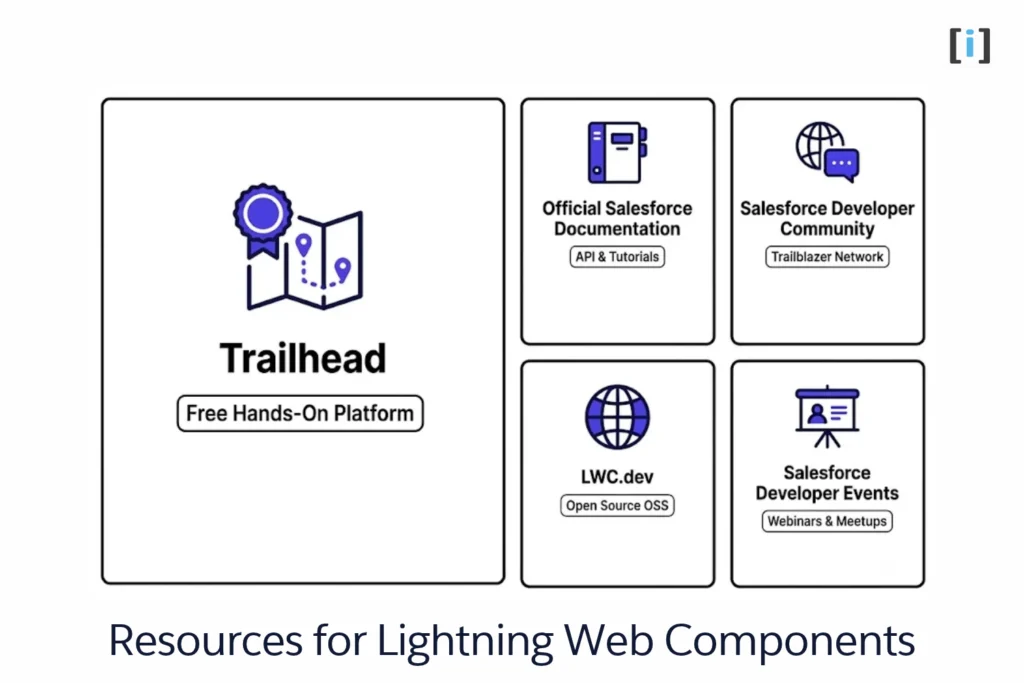
If you’re ready to dive into Lightning Web Components, there are a number of resources available to learn and get started with Lightning Web Components, including:
Official Salesforce Documentation
Salesforce provides extensive documentation on how to use Lightning Web Components, including tutorials and sample code. Lightning Web Components foundation – OSS Documentation (lwc.dev)
Salesforce Developer Community
The Trailblazer Community is full of developers who actively share tips, answer questions, and help solve problems. It’s one of the best places to learn from real-world experiences and connect with others working with LWC.
Salesforce Developer Events
Salesforce hosts a number of events, such as webinars and meetups, that provide training and information on Lightning Web Components.
LWC.dev
This open-source site offers clean, easy-to-follow tutorials and documentation outside the Salesforce platform. It’s great for learning the core concepts of LWC and understanding how it aligns with standard web development.
Trailhead
Trailhead is Salesforce’s free, hands-on learning platform. You’ll find modules dedicated specifically to Lightning Web Components, complete with challenges, examples, and guided exercises. Learn at your own pace and earn badges along the way.
Key Takeaways
- LWC is the standard for Salesforce UI development in 2026. If you’re starting a new project, there’s no reason to use Aura.
- JavaScript developers can get productive fast. The learning curve is days, not months — especially if you already know a modern JS framework.
- LWC and Aura coexist. You don’t need to rewrite existing components. Migrate incrementally as you build new features.
- Start free. A Developer Org + Trailhead is all you need to begin — no paid license required.
- Performance matters. LWC’s ~20 KB runtime vs. Aura’s ~250 KB translates to noticeably faster page loads, especially on mobile.
If you’re looking to build custom Lightning components or migrate your existing Aura codebase, our Salesforce team can help you plan and execute the transition. Get in touch for a free consultation on your LWC project.
FAQs
What is the difference between Lightning Web Components and Aura?
LWC uses standard JavaScript (ES6+) and native Web Components APIs, while Aura uses a proprietary framework with a custom rendering engine. LWC is significantly lighter (~20 KB vs. ~250 KB runtime), delivers faster page loads, and is easier to learn if you already know JavaScript. Salesforce recommends LWC for all new development — Aura is in maintenance mode.
Do I need to know Salesforce to use Lightning Web Components?
You need a basic understanding of Salesforce’s data model (objects, fields, records), but the coding itself is standard JavaScript. If you know React or Vue, you’ll pick up LWC quickly. Start with a free Developer Org and the Trailhead Basics module.
Can Lightning Web Components and Aura components work together?
Yes — they coexist on the same Lightning page. An Aura component can contain LWC children, but not the other way around. This lets teams migrate gradually, replacing one component at a time without rebuilding entire pages.
Is Lightning Web Components only for Salesforce?
No. LWC Open Source (LWC OSS) lets you use the same component model to build standalone web applications outside of Salesforce. It’s useful for customer portals or marketing sites that connect to Salesforce via APIs.
How long does it take to learn Lightning Web Components?
Most JavaScript developers can build their first working component in a few hours. Becoming productive on a real project typically takes 1-2 weeks. The Trailhead “Lightning Web Components Basics” module takes about 3 hours and covers everything you need to get started.