CRM vs CMS: Why This Comparison Exists
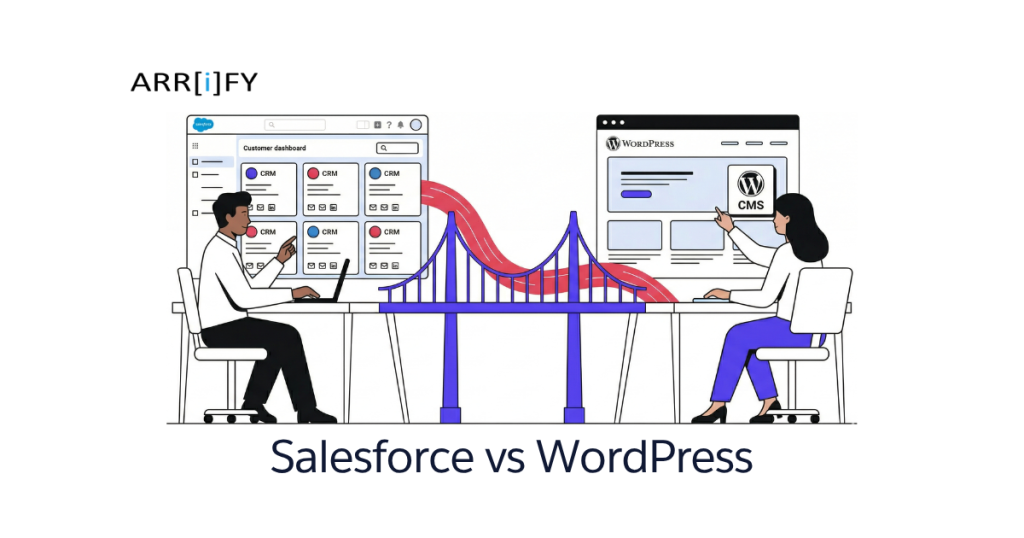
Salesforce vs WordPress is a weird comparison on the surface. One manages customer relationships. The other manages website content. But businesses Google this because they’re trying to figure out where to invest — their CRM or their website — and how the two fit together.
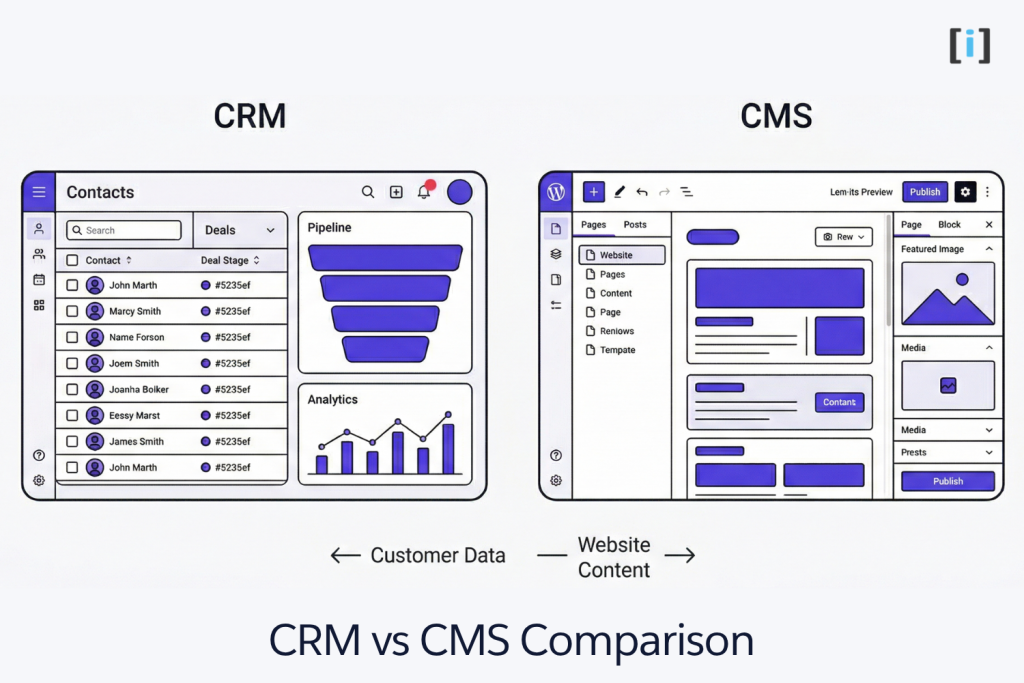
The difference between a CMS and CRM comes down to what each system manages:
| CRM (Salesforce) | CMS (WordPress) | |
|---|---|---|
| Primary Purpose | Manage customer data, sales pipelines, and marketing automation | Create, publish, and manage website content |
| Main Users | Sales teams, marketing ops, customer service | Content creators, marketers, web developers |
| Core Focus | Leads, contacts, deals, campaigns | Pages, blog posts, media, e-commerce |
| Data Type | Customer records, interactions, revenue | Content, images, product listings |
| Goal | Close more deals, retain customers | Attract visitors, publish content, sell online |
They’re not competitors — they’re complements. But understanding what each does well (and where it falls short) is key to spending your budget wisely.
Key Takeaway: CRM and CMS solve different problems. Salesforce manages who your customers are. WordPress manages what they see. Most growing businesses eventually need both.
What is Salesforce?
Salesforce is a cloud-based CRM platform that gives businesses a single place to manage customer data, track sales, automate marketing, and handle customer service. What started as a contact management tool has grown into a full ecosystem covering sales, marketing, service, analytics, and AI.
To get started with Salesforce, check out Salesforce Quick Start Guide.
Key Salesforce Features
CRM & Sales Management — Tracks leads, opportunities, accounts, and contacts in one place. Your sales team gets a full view of every deal in the pipeline.
Marketing Automation — Tools like Marketing Cloud and Account Engagement (formerly Pardot) let you build campaigns, score leads, and trigger email sequences based on customer behavior.
Customer Service — Service Cloud manages support tickets, tracks interactions, and includes knowledge bases and chatbots for self-service.
Analytics & Reporting — Built-in dashboards and reports track everything from sales performance to marketing ROI. Einstein Analytics adds AI-powered forecasting.
AppExchange — Salesforce’s marketplace has thousands of third-party apps for everything from document generation to e-signatures.
Content Management in Salesforce — Salesforce CMS lets you create and manage content within the Salesforce ecosystem, primarily for Experience Cloud sites and portals. It’s functional but not built for public-facing blogs or marketing sites.
What is WordPress?
WordPress is an open-source CMS that powers over 40% of all websites on the internet. Originally a blogging platform, it’s evolved into a flexible system for business websites, e-commerce stores, membership sites, and more.
Key WordPress Features
Website Building — From simple blogs to complex business sites, WordPress handles it. The block editor (Gutenberg) makes page building accessible without code.
Themes & Customization — Thousands of free and premium themes let you match your brand. For full control, custom themes built with PHP give you pixel-perfect design.
Plugins — Over 60,000 plugins extend functionality — SEO, security, e-commerce, contact forms, performance optimization, and more.
Here are some of the best WordPress to Salesforce Plugins to streamline integration between your Salesforce CRM and your WordPress website.
E-Commerce — WooCommerce turns WordPress into a full online store with product management, payments, shipping, and inventory tracking.
Content Management — WordPress was built for content. Creating, scheduling, and managing blog posts, pages, and media is its core strength.
Pro Tip: WordPress comes in two flavors: WordPress.com (hosted, limited) and WordPress.org (self-hosted, full control). When businesses say “WordPress,” they usually mean WordPress.org — that’s where you get full plugin access and customization.
Salesforce vs WordPress: Feature Comparison
Before diving into the details, here’s the full picture at a glance:
| Category | Salesforce | WordPress |
|---|---|---|
| Type | CRM (Customer Relationship Management) | CMS (Content Management System) |
| Best For | Sales teams, marketing ops, customer service | Websites, blogs, e-commerce, content |
| Ease of Use | Steep learning curve — admin training required | Beginner-friendly for basic use |
| Customization | Apex, LWC, Flows (needs developer) | PHP, themes, 60,000+ plugins (DIY-friendly) |
| Scalability | Enterprise-grade — thousands of users, millions of records | Traffic-grade — millions of pageviews with proper hosting |
| Security | Enterprise-grade, built-in, managed by Salesforce | User-managed — depends on hosting, plugins, practices |
| AI | Einstein AI native — lead scoring, forecasting, copilot | Plugin-based AI — no native intelligence |
| Integration | AppExchange + deep API ecosystem (enterprise tools) | Plugin Directory + REST API (web-facing tools) |
| Community & Support | Paid support tiers + Trailblazer community | Largest open-source community + free forums |
| Starting Cost | $25/user/month | Free (self-hosted) or $4/month (hosted) |
Now let’s break each of these down.
Core Purpose
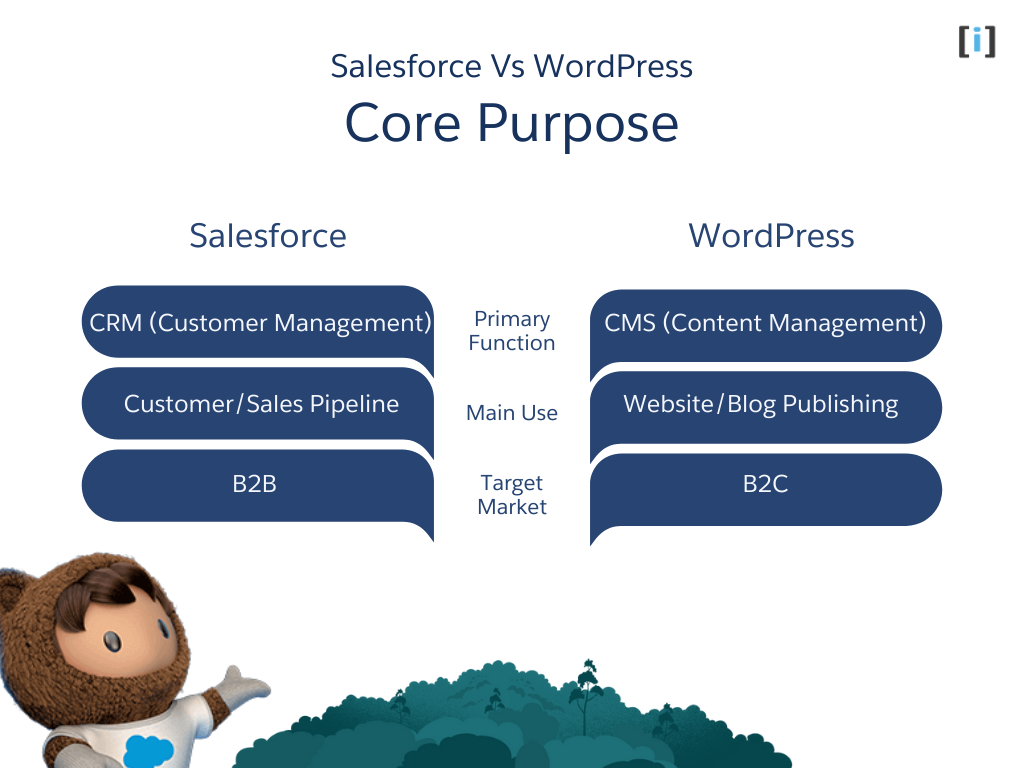
Salesforce is built for managing customer relationships. It tracks every interaction — emails, calls, deals, support tickets — across sales, marketing, and service teams. Ideal for B2B companies and any business where the sales cycle involves multiple touchpoints.
WordPress is built for managing your online presence. It’s where you create your website, publish blog posts, and sell products. Best for B2C businesses, content creators, and any organization that needs a public-facing website.
Ease of Use & Learning Curve
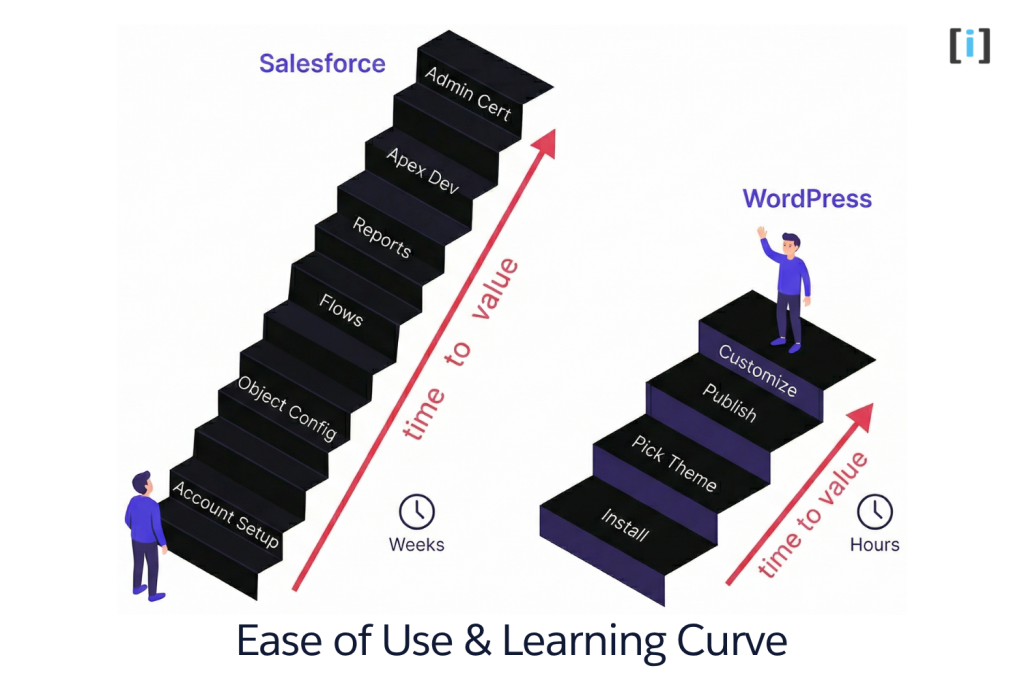
This is where the two platforms diverge most sharply — and it’s often the deciding factor for small teams.
WordPress is famously beginner-friendly. You can install it in 5 minutes, pick a theme, and start publishing content the same day. The block editor (Gutenberg) is drag-and-drop. Adding functionality is as simple as installing a plugin. Most business owners can handle day-to-day WordPress management — updating pages, publishing blog posts, managing products — without touching code. The learning curve only gets steep when you need custom theme development or complex plugin configurations.
Salesforce has a significant learning curve. The interface is powerful but dense — dashboards, objects, fields, flows, reports, and permissions all need to be understood before you can use the platform effectively. There’s a reason Salesforce Admin is a dedicated career path with its own certification. Basic CRM tasks (logging calls, updating deals) are straightforward, but setting up automation, custom objects, reports, and integrations requires training or a dedicated admin.
| Aspect | Salesforce | WordPress |
|---|---|---|
| Day-1 usability | Low — requires onboarding and training | High — publish content within hours |
| Admin complexity | High — dedicated admin role recommended | Low to moderate — most tasks are self-serve |
| Developer needs | Frequent — Apex/LWC for custom features | Occasional — only for custom themes/plugins |
| Time to productive use | Weeks to months (with proper setup) | Hours to days |
| Certification ecosystem | 30+ certifications (Admin, Developer, Architect) | No formal certification required |
The Litmus Test: If your team can figure out new software by clicking around, WordPress will feel natural. If you’re budgeting for training and onboarding time, Salesforce is the one that needs it.
Technical Architecture
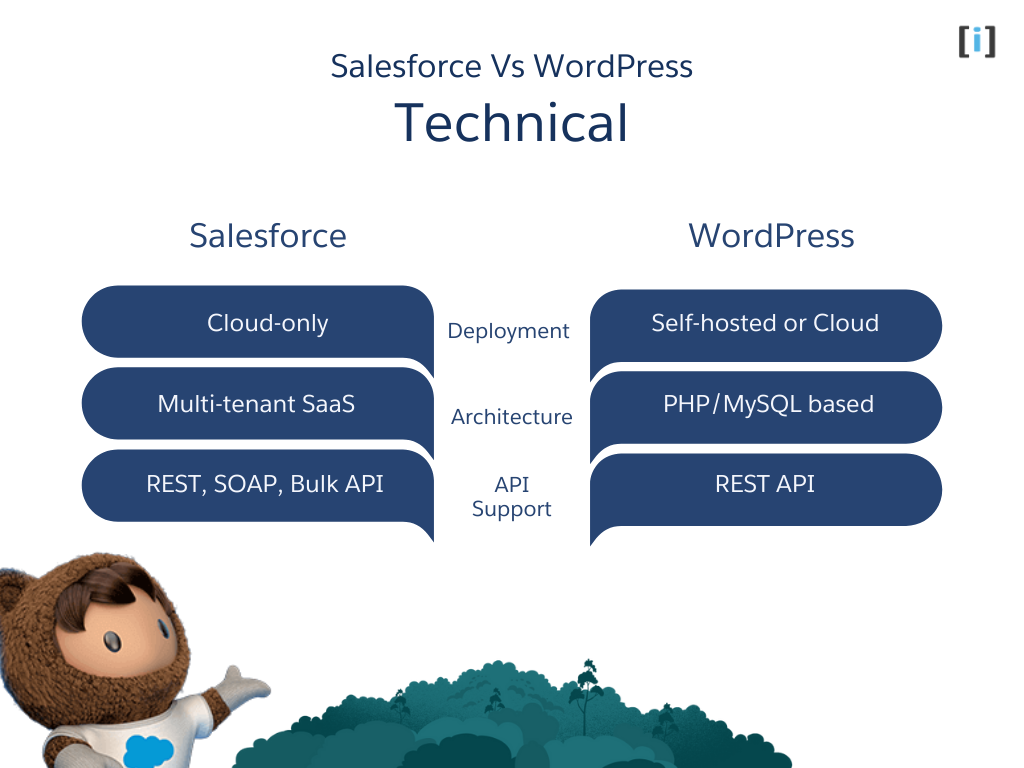
| Aspect | Salesforce | WordPress |
|---|---|---|
| Hosting | Cloud-only (SaaS) | Self-hosted or managed hosting |
| Architecture | Multi-tenant cloud | PHP/MySQL on your server |
| APIs | REST, SOAP, Bulk, Streaming, Composite | REST API, XML-RPC |
| Customization Language | Apex, LWC, Visualforce | PHP, JavaScript, CSS |
| Updates | Automatic (3 releases/year) | Manual or auto-update plugins/core |
| Data Ownership | Salesforce hosts your data (exportable) | You own and host everything |
| Uptime | 99.9%+ SLA guaranteed | Depends on your hosting provider |
Salesforce handles all infrastructure — no servers to manage, no security patches to apply. Three major releases per year (Spring, Summer, Winter) roll out automatically with new features and improvements. The trade-off: you’re on Salesforce’s platform, following their rules, and your data lives in their cloud.
WordPress gives you full ownership. You pick your hosting, control your server, own your database, and decide when to update. This means more responsibility (you handle backups, security, and performance tuning), but also more freedom — no vendor lock-in, no per-user pricing, no platform limitations.
Features
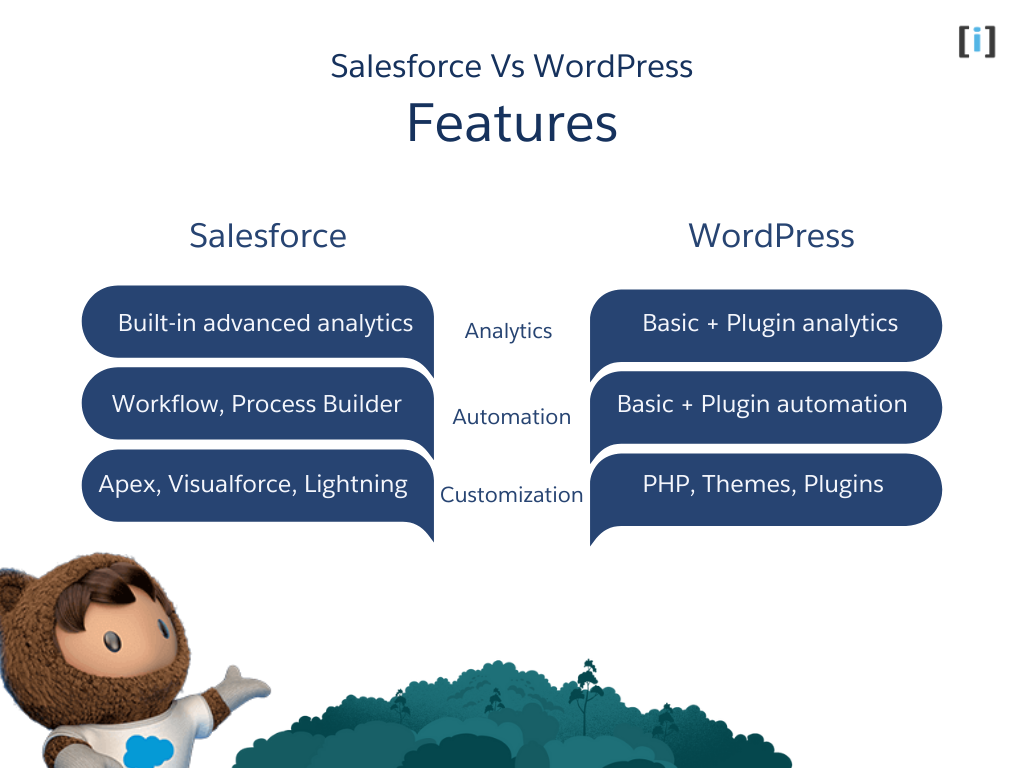
| Feature | Salesforce | WordPress |
|---|---|---|
| Analytics | Advanced built-in dashboards, Einstein AI, custom reports on any object | Basic (needs plugins like Google Analytics, MonsterInsights) |
| Automation | Flows, Process Builder, Apex triggers, scheduled jobs, approval processes | Scheduled posts, WP-Cron, plugin-based automation (limited) |
| Customization | Apex, Lightning Web Components, declarative tools (clicks not code) | PHP, themes, 60,000+ plugins, Gutenberg blocks |
| Content Management | Basic CMS for portals/Experience Cloud sites | Full CMS — blogs, pages, media, products, custom post types |
| E-Commerce | Commerce Cloud (enterprise-grade, $$$) | WooCommerce (free core, SMB to mid-market) |
| Email & Marketing | Marketing Cloud, Account Engagement (Pardot), Journey Builder | Plugin-based (Mailchimp, FluentCRM, Brevo, etc.) |
| Mobile | Salesforce Mobile App (native iOS/Android) | Responsive themes + WP mobile app (content management only) |
| Reporting | Custom reports, dashboards, Einstein Analytics, cross-object reporting | Plugin-dependent (Google Analytics, WooCommerce reports) |
Where Salesforce wins: Anything involving customer data, sales pipeline, marketing automation, or cross-department reporting. If the question is “what’s happening with our customers?”, Salesforce answers it natively.
Where WordPress wins: Anything involving content, websites, SEO, or online selling. If the question is “how do we get found online and convert visitors?”, WordPress is the tool.
Scalability
Both platforms scale, but in completely different directions — and understanding which kind of scale you need matters.
Salesforce scales with organizational complexity. More users, more data, more automation rules, more departments — Salesforce is built for it. Enterprise orgs run Salesforce with 10,000+ users, millions of contact records, and hundreds of automated workflows firing simultaneously. The platform handles multi-currency, multi-language, and multi-business-unit setups natively. As your team grows from 5 to 500, Salesforce grows with you without re-architecting anything.
WordPress scales with traffic and content. With the right hosting stack (managed WordPress hosting, CDN, object caching, database optimization), WordPress sites handle millions of monthly pageviews. Sites like TechCrunch, The New Yorker, and Bloomberg run on WordPress. WooCommerce stores process thousands of daily orders. The key is infrastructure — WordPress itself doesn’t limit you, but cheap shared hosting will.
| Scale Dimension | Salesforce | WordPress |
|---|---|---|
| Users/team size | Thousands of internal users | Hundreds of admins/editors (unlimited visitors) |
| Data volume | Millions of records per object | Millions of posts/products with optimization |
| Concurrent traffic | N/A (internal tool) | Millions of pageviews/month with proper hosting |
| Geographic | Multi-currency, multi-language native | Multi-language via plugins (WPML, Polylang) |
| Complexity ceiling | Enterprise workflows, approval chains, custom objects | Custom post types, complex taxonomies, headless setups |
Pro Tip: Scalability isn’t just about handling more. It’s about handling more without rearchitecting. Salesforce scales complexity without changing your setup. WordPress scales traffic — but you may need to upgrade hosting, add caching layers, or refactor as traffic grows.
Security
Security is a major factor for businesses handling customer data, payment information, or operating in regulated industries.
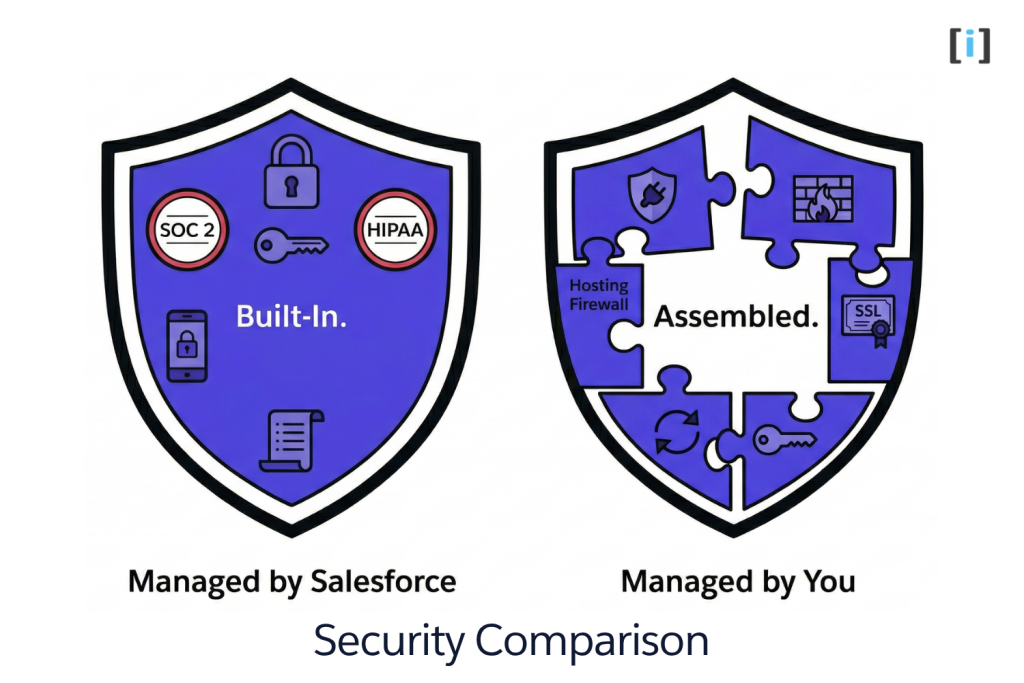
Salesforce provides enterprise-grade security out of the box. Every org gets encryption at rest and in transit, two-factor authentication, IP restrictions, login history tracking, field-level security, and detailed audit trails. Compliance certifications include SOC 1, SOC 2, ISO 27001, HIPAA, GDPR, and FedRAMP. Salesforce Shield (paid add-on) adds platform encryption, event monitoring, and field audit trails for regulated industries. Security patches are applied automatically — you never have to worry about a vulnerability sitting unpatched.
WordPress security depends on how you manage it. The WordPress core is well-maintained and regularly patched by a dedicated security team. But most WordPress vulnerabilities come from the ecosystem around it: outdated plugins (the #1 attack vector), weak admin passwords, cheap hosting without firewalls, and skipping updates. With a security plugin (Wordfence, Sucuri), managed hosting (WP Engine, Kinsta, Cloudways), strong passwords, and regular updates, WordPress is plenty secure for most businesses.
| Security Aspect | Salesforce | WordPress |
|---|---|---|
| Encryption | At rest + in transit (automatic) | In transit via SSL (you configure); at rest depends on hosting |
| Authentication | MFA built-in, SSO, IP restrictions | Plugin-based MFA, SSO via plugins |
| Compliance | SOC 1/2, ISO 27001, HIPAA, GDPR, FedRAMP | You’re responsible for compliance configuration |
| Vulnerability patching | Automatic — managed by Salesforce | Manual or auto-updates — you manage the schedule |
| Audit trails | Native field history tracking, login history | Plugin-based activity logs |
| DDoS protection | Included (Salesforce infrastructure) | Depends on hosting + CDN (Cloudflare, Sucuri) |
| Biggest risk | Misconfigured permissions/sharing rules | Outdated plugins + weak passwords |
Real Talk: Salesforce’s security is baked in because it’s a closed platform — you’re paying for that peace of mind in your license fees. WordPress’s security is a trade-off for its openness and flexibility. A well-maintained WordPress site is secure. A neglected one is a target. Neither is inherently “more secure” — it depends on who’s managing it.
AI Capabilities
AI is where Salesforce has a commanding lead — and it’s only widening.
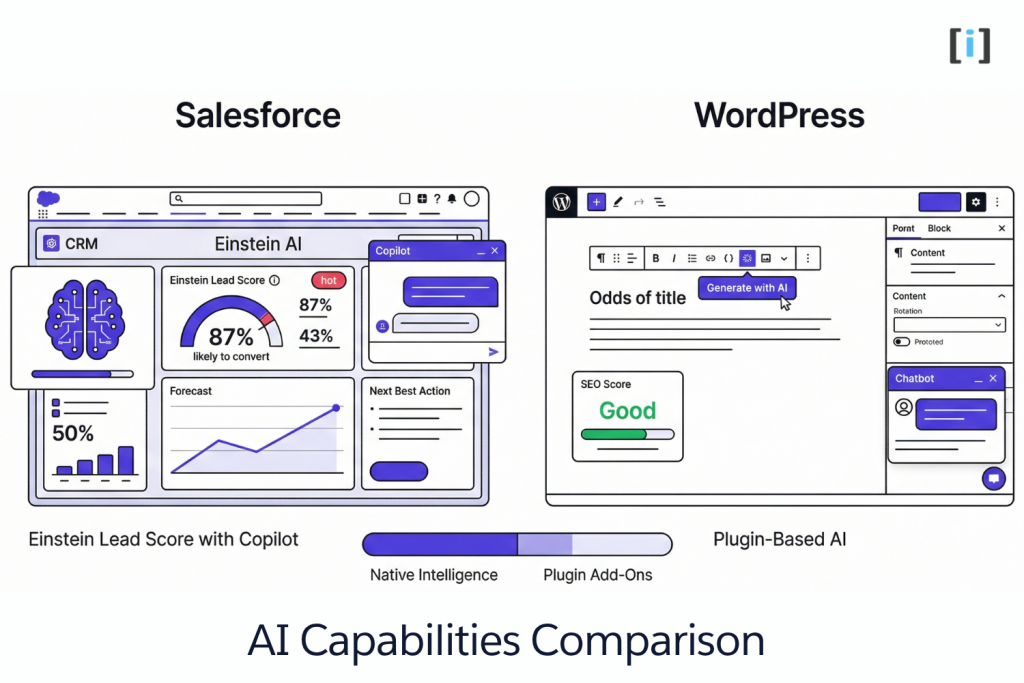
Salesforce Einstein AI is embedded across the entire platform. It’s not a bolt-on or a plugin — it’s native intelligence woven into Sales Cloud, Service Cloud, and Marketing Cloud.
What Einstein does today:
- Predictive lead scoring — ranks leads by likelihood to convert based on historical data
- Opportunity insights — flags deals at risk, suggests next best actions
- Einstein Copilot — natural language assistant that can query data, update records, summarize accounts, and draft emails
- Sales forecasting — AI-powered revenue predictions with confidence scores
- Email insights — sentiment analysis, optimal send times, engagement tracking
- Einstein GPT — generates personalized email copy, call summaries, and knowledge articles
Einstein is available at different levels depending on your Salesforce edition. Basic predictive features come with Enterprise and above. Advanced Copilot and generative AI features require Einstein 1 edition or add-on purchases.
WordPress has no native AI. Any AI functionality comes through plugins or third-party integrations:
- Content generation — plugins like Jepack AI Assistant or third-party tools (Jasper, Copy.ai) for drafting blog posts
- SEO optimization — Rank Math and Yoast offer AI-assisted content suggestions
- Chatbots — plugin-based chatbots (Tidio, ChatBot) for visitor engagement
- Personalization — limited plugin options for showing different content to different users
- Image generation — plugins connecting to DALL-E or Midjourney for featured images
The difference: Salesforce’s AI works on your customer data — it learns from your pipeline, your deals, your interactions. WordPress AI plugins work on your content — they help you write better, not sell better.
Key Takeaway: If AI-powered sales intelligence, lead scoring, and predictive analytics matter to your business, Salesforce is years ahead. If you just need AI to help write blog posts, WordPress plugins get the job done.
Integration Capabilities
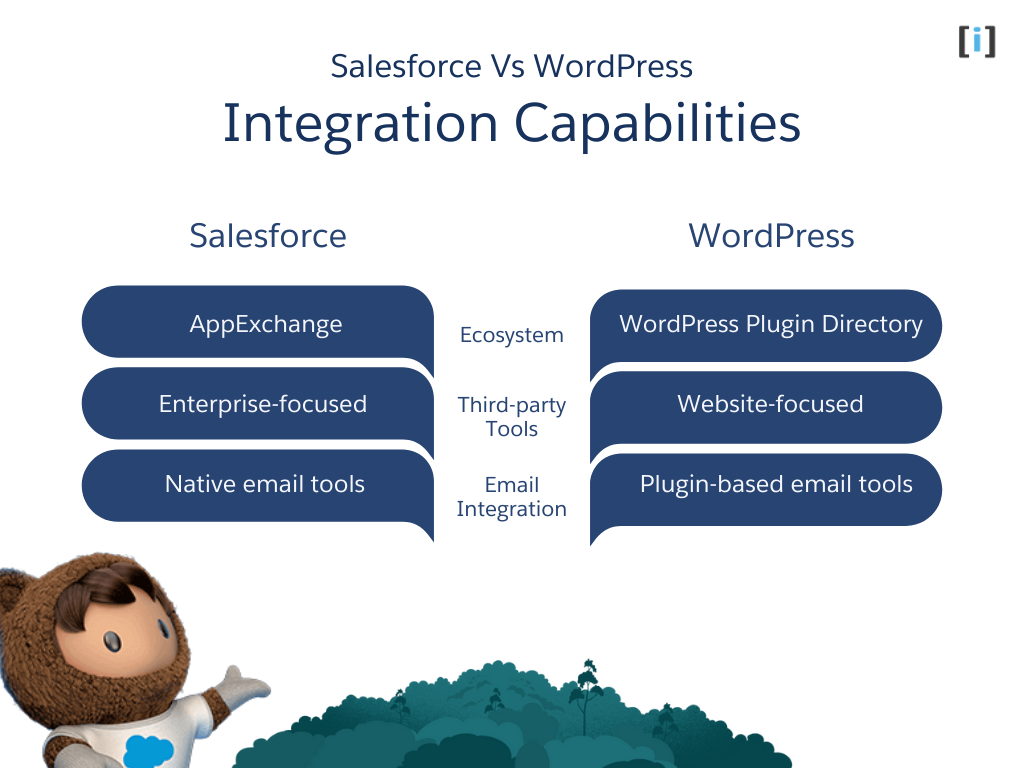
Salesforce has the AppExchange — a curated marketplace of 7,000+ enterprise apps, integrations, and components. It connects natively with ERP systems (SAP, NetSuite), marketing platforms (HubSpot, Marketo), communication tools (Slack, Teams), and hundreds of business applications. The API ecosystem is deep: REST API, SOAP API, Bulk API for mass data operations, Streaming API for real-time events, and Composite API for chained requests. If a business tool exists, there’s probably a Salesforce connector for it.
WordPress has the Plugin Directory — 60,000+ free plugins plus thousands of premium options. It connects with email platforms (Mailchimp, ConvertKit), CRMs (Salesforce, HubSpot), payment gateways (Stripe, PayPal), marketing tools (Google Analytics, Facebook Pixel), and virtually every web-facing service. The REST API lets developers build custom integrations, and middleware tools like Zapier and Make connect WordPress to 5,000+ apps without code.
| Integration Aspect | Salesforce | WordPress |
|---|---|---|
| Marketplace | AppExchange (7,000+ apps) | Plugin Directory (60,000+ plugins) |
| Focus | Enterprise systems (ERP, BI, marketing automation) | Web-facing tools (email, SEO, e-commerce, social) |
| API depth | REST, SOAP, Bulk, Streaming, Composite, Metadata | REST API, XML-RPC |
| No-code integration | Flow + AppExchange connectors | Zapier, Make, n8n, plugin-based |
| Custom integration | Apex, Salesforce Connect, Platform Events | PHP hooks/filters, custom REST endpoints |
| CRM ↔ CMS connection | Needs plugin or middleware to connect to WordPress | Needs plugin or middleware to connect to Salesforce |
Key Takeaway: Salesforce integrates best with business systems (ERP, marketing automation, analytics). WordPress integrates best with web-facing tools (email, SEO, e-commerce, social media). Connecting the two platforms requires a dedicated integration — neither talks to the other out of the box.
Community & Support
Who helps you when you get stuck? The support models are fundamentally different.
Salesforce support is tiered and paid. Every org gets basic case submission. Beyond that:
- Standard Success (included) — case submission, 2-day response time, Trailhead learning platform
- Premier Success (~30% of net license fees) — 1-hour response for critical issues, 24/7 phone support, expert coaching sessions
- Signature Success (custom pricing) — designated technical account manager, proactive monitoring
The Trailblazer Community is Salesforce’s user forum — it’s active and helpful for common questions. Trailhead (Salesforce’s free learning platform) is genuinely excellent for self-paced learning with badges and certifications.
WordPress support is community-driven and free. The wordpress.org forums are volunteer-staffed but cover most common issues. Beyond that:
- Plugin/theme support — premium plugins (Gravity Forms, WooCommerce extensions) include dedicated support channels
- Hosting support — managed WordPress hosts (WP Engine, Kinsta) provide expert WordPress support as part of the hosting plan
- Community — WordPress meetups in most cities, WordCamp conferences, thousands of tutorial sites, YouTube channels, and Stack Overflow answers
- Developer ecosystem — millions of WordPress developers worldwide means finding help (or a freelancer) is never hard
| Support Aspect | Salesforce | WordPress |
|---|---|---|
| Free support | Basic case submission (2-day response) | Community forums (volunteer response times vary) |
| Paid support | Premier ($$$), Signature ($$$$) | Via hosting provider or plugin vendors |
| Learning platform | Trailhead (free, excellent) | WordPress.org docs + thousands of tutorial sites |
| Community size | Trailblazer Community (~15M members) | Largest open-source community in the world |
| Finding help | Salesforce consultants/admins (specialized, higher rates) | WordPress developers (abundant, wide rate range) |
| Self-service | Trailhead modules + in-app guidance | Docs, YouTube, blogs, forums — information everywhere |
Pro Tip: WordPress’s biggest advantage isn’t the software itself — it’s the ecosystem. Whatever problem you hit, someone has already solved it and written about it. Salesforce’s ecosystem is deep but narrower — you’ll often need a certified professional for non-trivial issues.
Pros and Cons at a Glance
Salesforce Pros:
- Purpose-built CRM with unmatched depth in sales, service, and marketing
- Einstein AI native — predictive scoring, forecasting, copilot built in
- Enterprise-grade security and compliance out of the box
- Scales to thousands of users and complex multi-department workflows
- AppExchange ecosystem for extending functionality
- Three automatic platform releases per year with new features
Salesforce Cons:
- Expensive — $25–$500/user/month before add-ons and implementation
- Steep learning curve — requires training and often a dedicated admin
- Not a website builder — limited content management capabilities
- Customization often requires developers (Apex, LWC)
- Vendor lock-in — migrating off Salesforce is painful and expensive
- Overkill for small teams with simple sales processes
WordPress Pros:
- Free and open-source — no licensing fees, no vendor lock-in
- Beginner-friendly — publish content within hours of setup
- 60,000+ plugins for virtually any functionality
- Full ownership of your data, code, and infrastructure
- Massive community — help is always available
- Handles everything from blogs to enterprise e-commerce
WordPress Cons:
- Not a CRM — no native customer management, sales tracking, or automation
- Security is your responsibility — plugins, updates, and hosting all need management
- Plugin dependency — complex functionality requires stacking multiple plugins
- Performance requires attention — cheap hosting + heavy plugins = slow sites
- No native AI or advanced analytics
- Customization beyond themes requires PHP/JavaScript skills
Salesforce vs WordPress: Pricing Compared
Salesforce Pricing
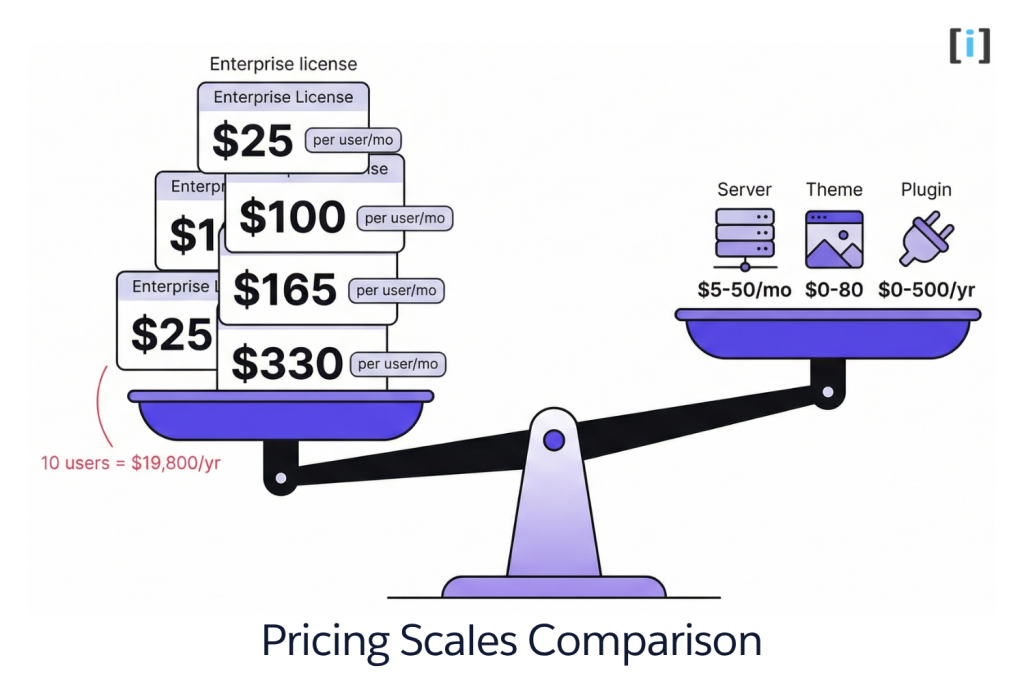
Salesforce uses per-user, per-month subscription pricing. Costs add up fast as you add users and features.
| Plan | Price | What You Get |
|---|---|---|
| Starter Suite | $25/user/month | Basic CRM — contacts, leads, opportunities, email |
| Pro Suite | $100/user/month | + Sales engagement, quoting, forecasting |
| Enterprise | $165/user/month | + Advanced automation, custom objects, API access |
| Unlimited | $330/user/month | + Premium support, sandbox, all features |
| Einstein 1 Sales | $500/user/month | + AI-powered sales tools, Data Cloud |
The real cost: A 10-person sales team on Enterprise costs $19,800/year in licenses alone — before implementation, customization, and add-ons like Marketing Cloud or CPQ. Budget 2-3x the license cost for the first year when factoring in setup and training.
WordPress Pricing
WordPress.org (self-hosted) is free software. Your costs are hosting, themes, and plugins.
| Component | Cost Range | Notes |
|---|---|---|
| Hosting | $5–$50/month | Shared hosting to managed WordPress hosting |
| Domain | $10–$15/year | Annual registration |
| Premium Theme | $0–$80 (one-time) | Free themes work fine; premium for more control |
| Essential Plugins | $0–$500/year | SEO, security, backups, forms — many are free |
| WooCommerce | Free + extensions | Core is free; payment gateways and extensions vary |
WordPress.com (hosted) offers simpler pricing:
| Plan | Price | Best For |
|---|---|---|
| Personal | $4/month | Personal blogs |
| Premium | $8/month | Small business sites |
| Business | $25/month | Plugin access, SEO tools |
| Commerce | $45/month | Full WooCommerce store |
| Enterprise | $25,000+/year | Large-scale custom solutions |
The real cost: A typical small business WordPress site costs $500–$2,000/year for hosting, a premium theme, and a handful of paid plugins. An e-commerce site with WooCommerce runs $1,000–$5,000/year depending on extensions needed.
The Litmus Test: If you’re a solo founder or small team, WordPress costs 1-2 months of a single Salesforce license. If you’re a 50-person sales org, Salesforce’s cost is justified by the revenue it helps you close.
Salesforce vs WordPress: Use-Case Scenarios
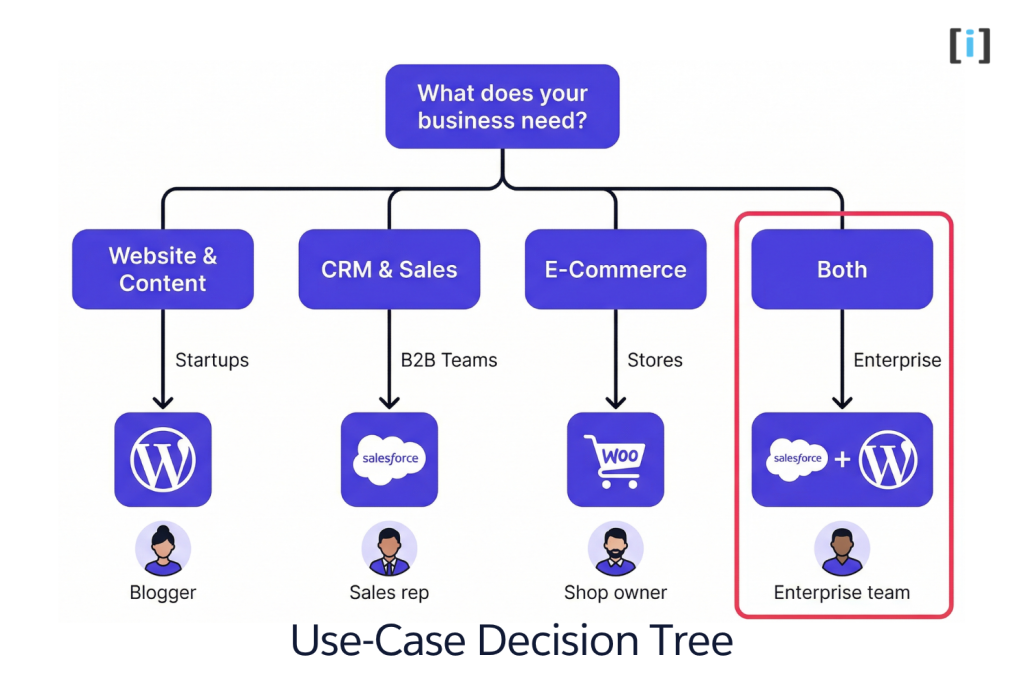
Startups & Freelancers
Go with WordPress. You need a website before you need a CRM. Get your site live, start generating leads, and manage contacts in a spreadsheet or free CRM (HubSpot free tier, Zoho free) until your sales process demands more.
When to add Salesforce: When you have a repeatable sales process, multiple people touching deals, and you’re losing track of follow-ups.
Content Creators & Bloggers
WordPress, no contest. Salesforce has zero content creation capabilities. WordPress was literally built for publishing. SEO plugins, content scheduling, media management — it’s all there.
E-Commerce (Small to Mid-Size)
WordPress + WooCommerce. Full control over your store, thousands of extensions, and total ownership of your data. For stores doing under $10M/year in revenue, WooCommerce handles it.
When Salesforce enters the picture: When you need CRM capabilities alongside your store — tracking customer lifetime value, running automated post-purchase campaigns, or managing a B2B sales team alongside your online store.
B2B Sales Teams
Salesforce is the standard. If your business lives and dies by pipeline management, lead scoring, and sales automation, Salesforce is purpose-built for this. No amount of WordPress plugins replaces a real CRM.
Enterprise Organizations
You probably need both. WordPress (or a headless CMS) for your public website and content. Salesforce for your customer data, sales operations, and marketing automation. Connected via integration.
Pro Tip: “Salesforce vs WordPress” is often the wrong framing for mid-size and enterprise businesses. The real question is how to connect them so your website feeds your CRM and your CRM personalizes your website.
Can You Use Salesforce and WordPress Together?
Yes — and for many businesses, this is the right answer. Your WordPress site generates traffic and captures leads. Salesforce manages those leads through your sales pipeline. The CRM and CMS integration creates a closed loop: content attracts prospects, forms capture them, and Salesforce nurtures them to close.
What Integration Looks Like
- Form submissions → Salesforce Leads. Someone fills out a contact form on your WordPress site, and a Lead record appears in Salesforce automatically.
- WooCommerce orders → Salesforce Contacts/Opportunities. E-commerce data flows into your CRM for sales tracking and post-purchase campaigns.
- Salesforce data → WordPress content. Customer portals, member dashboards, and personalized content powered by Salesforce data displayed on your WordPress site.
How to Connect Them
There are three main approaches:
- Form plugins (Gravity Forms, WPForms) — simplest option for pushing form data to Salesforce
- Sync plugins (miniOrange, Object Sync) — for ongoing data sync between WordPress and Salesforce objects
- Custom API middleware — for complex, bi-directional, real-time integration
We cover each method in detail in our WordPress Salesforce Integration Guide. For plugin-specific recommendations, see our WordPress Salesforce Plugin Comparison.
Key Takeaway: Don’t think of Salesforce and WordPress as either/or. The CRM-CMS integration is where businesses unlock real value — your website feeds your sales pipeline, and your CRM data makes your website smarter.
How to Choose: Decision Framework
Still not sure? Run through these five questions:
1. What’s your primary business goal right now?
- Build a website or publish content → WordPress
- Manage customers, sales pipeline, or marketing campaigns → Salesforce
- Both → Both (with integration)
2. What’s your budget?
- Under $2,000/year → WordPress (self-hosted)
- $5,000+/year for software → Salesforce is on the table
- Enterprise budget → Both platforms, properly integrated
3. How technical is your team?
- Non-technical → WordPress for the site, Salesforce Starter for basic CRM
- Some dev resources → WordPress + Salesforce with plugin-based integration
- Dedicated dev team → Custom integration between both platforms
4. What does your growth path look like?
- Growing content and traffic → WordPress scales well with proper hosting
- Growing sales team and customer base → Salesforce scales to enterprise
- Both → Start with what’s most urgent, add the other when ready
5. Do you need them connected?
- Just a website, no CRM yet → WordPress only
- Already on Salesforce, need a website → WordPress integrated with Salesforce
- Need leads from website in CRM → WordPress + Salesforce with form integration
The Litmus Test: If you’re asking “Salesforce OR WordPress,” you probably need WordPress first. If you’re asking “Salesforce AND WordPress,” you’re ready for both.
FAQs
Can Salesforce replace WordPress?
No. Salesforce has basic CMS capabilities through Experience Cloud, but it’s not designed for public-facing websites, blogs, or content marketing. You can build customer portals and internal sites with Salesforce, but for a marketing website, WordPress (or another CMS) is the right tool.
Can WordPress replace Salesforce?
Not really. WordPress CRM plugins exist (FluentCRM, Jepack CRM), but they don’t match Salesforce’s depth in sales automation, reporting, and enterprise workflows. For basic contact management on a small site, a WordPress CRM plugin might suffice. For real sales operations, you need a real CRM.
Is WordPress a CRM?
No. WordPress is a CMS (content management system). You can add CRM-like features with plugins, but natively, WordPress manages content — not customer relationships.
Which is better for e-commerce: Salesforce or WordPress?
For small to mid-size stores, WordPress with WooCommerce gives you full control at a fraction of the cost. For enterprise e-commerce with deep CRM integration, Salesforce Commerce Cloud is the more powerful (and expensive) option.
How much does it cost to use Salesforce and WordPress together?
WordPress hosting and essentials run $500–$2,000/year. Salesforce starts at $300/user/year (Starter). A basic integration plugin costs $0–$350/year. For most small businesses, budget $2,000–$5,000/year for both platforms with a plugin-based integration.
Do I need a developer for Salesforce? For WordPress?
WordPress: not for basic sites. You can set up a site with a theme and plugins without code. For custom functionality, yes.
Salesforce: for anything beyond basic CRM setup, you’ll likely need a Salesforce admin or consultant. Custom automation, integrations, and reporting require technical skills.
Helpful Resources
7 Amazing Ways to Use Salesforce
5-Minute Crash Course on Salesforce
Improve Productivity While Working On Salesforce
Top 6 Reasons to Choose Salesforce for Your Business