Salesforce Basic

Feature Image of Salesforce Web Forms The Complete Guide to Collecting Data From Your Website 1
Business User, Integrating Salesforce, Salesforce Admin, Salesforce Basic, Salesforce Customization, Salesforce How-To Guides

Salesforce Web Forms: The Complete Guide to Collecting Data From Your Website

This ultimate guide covers everything you need to know about Salesforce web forms in 2023. Learn about the different types of web forms available, including Web to Lead, Web to Case, and custom object forms. We’ll also cover the pros and cons of using custom code or third-party apps to create your forms, and how to embed your Salesforce web form on your website. Whether you’re just getting started with Salesforce or you’re a seasoned pro, this guide has something for you.

Read →
Feature Image of 4 Ways to Enable Salesforce Dark Mode
Salesforce How-To Guides, Getting Started with Salesforce, Salesforce Basic

How to Enable Salesforce Dark Mode (Native + Extension)

Yes, Salesforce now supports dark mode natively. As of the Winter ’26 release, Salesforce dark mode is available directly within the platform for certain editions, so you don’t need any extensions to use it. You can simply enable it from your settings if your org supports the feature. If you’re on an older release or … Read more

Read →
Feature Image of Generate PDF in Salesforce For free
Business User, Integrating Salesforce, Salesforce Basic, Salesforce Customization, Salesforce How-To Guides

Generate PDF in Salesforce For free – A 101 guide

In every business generating PDF files from invoices, bills, articles, reports, etc. is necessary. As a PDF (portable document file), we can keep it offline for later consumption instead of viewing the same detail using the network. In this post, we will explain how to Generate PDF in Salesforce with a button click. In this implementation, … Read more

Read →
Featured Image Web To Lead in Salesforce
Business User, Automating Salesforce, Improving Customer Experiences, Quick Start, Salesforce Admin, Salesforce Basic, Salesforce Customization

Web to Lead in Salesforce – DIY in 4 steps

If you want to capture leads from your website and automatically send them to Salesforce, Web-to-Lead is the feature you need. With Web-to-Lead, you can create a custom lead capture form that feeds lead data into Salesforce and generates new lead records instantly. In the following sections, we’ll explore how Web-to-Lead works, how to set … Read more

Read →
uploadCompanyLogo
Salesforce Basic, Business User, Quick Start, Salesforce Admin, Salesforce Admin Best Practices, Salesforce Customization, Salesforce How-To Guides

Change or Add Company Logo in Salesforce in 5 min

This tutorial will teach you how to add a company logo in Salesforce. A company logo is a visual representation of your business. It can be displayed on various pages in Salesforce, such as the login page and the top of the page header. By adding a company logo in Salesforce, you can personalize and … Read more

Read →
Featured Image Salesforce Sandboxes
Salesforce Basic, Business User, Salesforce Admin, Salesforce Customization, Salesforce How-To Guides

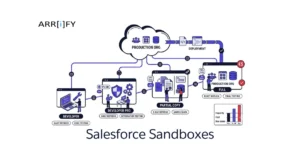
Salesforce Sandboxes 101: Everything about Pricing, Types & Features

When using Salesforce, it’s important to have a safe space to test and try out changes without affecting your real data. This is where sandboxes come in. It lets you experiment with new features or make changes without risking your business operations. In this guide, we’ll explain what Salesforce sandboxes are, how much they cost, … Read more

Read →
Featured Image Salesforce form The best available option
Business User, Improving Customer Experiences, Optimizing Salesforce, Salesforce Admin, Salesforce Basic

Salesforce form – The best available option

When it comes to form solutions for large businesses, Salesforce forms really stand out. Many form builders focus on being quick or easy to use, but Salesforce goes further. It doesn’t just collect information it connects that data directly into your CRM, helping teams build stronger customer relationships and make smarter business decisions. Salesforce offers … Read more

Read →
The 5 Steps to Create a Trigger in Salesforce
Business User, Automating Salesforce, Salesforce Admin, Salesforce Admin Best Practices, Salesforce Basic, Salesforce Customization

Triggers in Salesforce: Powerful Concepts Every Developer Should Know

Introduction Salesforce Triggers are an essential part of the platform’s automation capabilities. They enable developers and admins to automate processes and customize application behavior by executing code before or after records are inserted, updated, deleted, or undeleted in Salesforce. Dive into Salesforce Automation: Key Features and Capabilities. What are Triggers? Triggers are Apex scripts that … Read more

Read →
Business User, Optimizing Salesforce, Salesforce Admin, Salesforce Admin Best Practices, Salesforce Basic, Salesforce Customization

Ultimate guide on Opportunity in Salesforce

To grow your business, the word “deal” plays an important role. Salesforce is well-known for helping businesses organize and manage customer information. But what makes it even more powerful is its “Opportunity” feature which helps businesses to track potential sales and customer interactions from start to finish and making it easier to close deals & … Read more

Read →