Salesforce Customization

Salesforce Sandboxes 101: Types, Pricing & Features Guide
Salesforce Basic, Business User, Salesforce Admin, Salesforce Customization, Salesforce How-To Guides

Salesforce Sandboxes 101: Types, Pricing & Features Guide

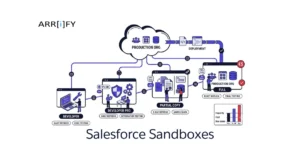
When using Salesforce, it’s important to have a safe space to test and try out changes without affecting your real data. This is where sandboxes come in. It lets you experiment with new features or make changes without risking your business operations. In this guide, we’ll explain what Salesforce sandboxes are, how much they cost, … Read more

Read →
Feature image of Salesforce MFA Setup Guide 1
Salesforce How-To Guides, Optimizing Salesforce, Salesforce Admin, Salesforce Admin Best Practices, Salesforce Customization, Salesforce Security

Salesforce MFA Setup Guide: Registering FIDO2 Passkeys & Security Keys

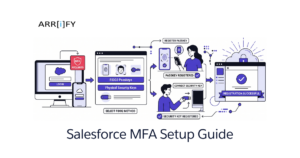
So, you’ve heard the news: Salesforce is enforcing new MFA rules for highly privileged users. If you have permissions like System Administrator, Modify All Data, or Author Apex, the days of typing in a six-digit code from your phone are officially over. To comply with this new mandate and protect your org from sophisticated credential theft (like Adversary-in-the-Middle … Read more

Read →
Feature image of Salesforce Phishing Resistant MFA Enforcement
Salesforce Admin, Optimizing Salesforce, Salesforce Customization, Salesforce Security

Salesforce Phishing-Resistant MFA Enforcement: Who Is Affected and How to Prepare

If you are a Salesforce Admin, there is nothing quite as panic-inducing as staring at a login screen and realizing you are locked out of your own org. With Salesforce’s Phishing-Resistant MFA Enforcement, that nightmare is becoming a reality for IT teams who aren’t prepared. The rules for how privileged users log in have officially … Read more

Read →
Feature Image of How to create Visualforce Tab in Salesforce 1
Salesforce How-To Guides, Salesforce Admin, Salesforce Basic, Salesforce Customization

How to create Visualforce Tab in Salesforce

Visualforce Tabs In Salesforce, a Visualforce Tab is a custom user interface component that allows administrators and developers to embed and display custom Visualforce pages directly within the standard Salesforce navigation menu. Instead of forcing users to access custom pages via specific URL links or buried buttons, Visualforce tabs provide a seamless, integrated user experience. By displaying … Read more

Read →
Feature Image of How to Create Custom Object Tabs in Salesforce Lightning 1
Salesforce How-To Guides, Improving Customer Experiences, Quick Start, Salesforce Admin, Salesforce Customization

How to Create Custom Object Tabs in Salesforce Lightning

If you have built a custom object in Salesforce to store specialized data for your business, you might have noticed one issue: by default, it doesn’t appear in your main navigation menu. Without a dedicated tab, these custom objects exist securely in your backend database but are practically invisible and inaccessible to your day-to-day users. … Read more

Read →
Feature image of Change or Add Company Logo in Salesforce 1
Salesforce Basic, Business User, Quick Start, Salesforce Admin, Salesforce Admin Best Practices, Salesforce Customization, Salesforce How-To Guides

Change or Add Company Logo in Salesforce in 5 min

A company logo is the foundation of your business’s visual identity. When you add a company logo in Salesforce, you do more than just customize a piece of software—you reinforce your brand identity for your internal team, users, and customers. Whether you want it displayed on the App Launcher, the login page, or your outbound … Read more

Read →
Feature image of How to Create User in Salesforce
Salesforce Admin, Salesforce Basic, Salesforce Customization, Salesforce How-To Guides

How to Create User in Salesforce

User Users are employees or external partners at any organization who need access to the organization’s records in Salesforce. Sales executives, managers, and IT workers all have user accounts that identify them and determine their system settings, including which features, apps, and records they can access. How to Create a User in Salesforce If you … Read more

Read →
Feature image of How to create Lightning Page Tabs in Salesforce
Salesforce How-To Guides, Improving Customer Experiences, Salesforce Customization, Uncategorized

How to create Lightning Page Tabs in Salesforce

Lightning Page Tabs Lightning Page Tabs enable you to seamlessly include custom Lightning Pages directly into the Lightning Experience and the Salesforce mobile app. To include a Lightning app page in the Salesforce mobile navigation menu or a specific Lightning App, you must first create a custom tab for it. While the first time a user … Read more

Read →
Feature Image of WordPress Salesforce Integration
Salesforce How-To Guides, Integrating Salesforce, Optimizing Salesforce, Salesforce Customization

WordPress Salesforce Integration: Plugins, API, and Custom Methods Compared

Why Connect WordPress to Salesforce? Your WordPress site generates leads. Salesforce manages them. Without an integration, someone on your team is manually copy-pasting form submissions into your CRM — or worse, leads are sitting in an inbox no one checks. A WordPress Salesforce integration eliminates that gap. Form submissions, user registrations, WooCommerce orders, and even … Read more

Read →