Salesforce Admin Best Practices
Salesforce Customization, Getting Started with Salesforce, Salesforce Admin, Salesforce Admin Best Practices, Salesforce Basic, Salesforce How-To Guides
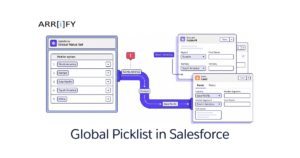
Say goodbye to data chaos. Implementing a Global Picklist in Salesforce is the ultimate solution for standardizing data entry, improving accuracy, and driving your business’s CRM success. Are you tired of cleaning up messy data in Salesforce? Do you frequently encounter misspelled country names, inconsistent industry categories, or duplicate lead sources? Say goodbye to data … Read more
Salesforce Customization, Salesforce Admin, Salesforce Admin Best Practices, Salesforce Basic, Salesforce How-To Guides
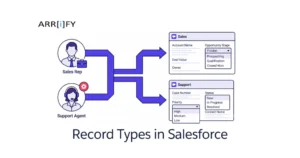
Does your Salesforce feel cluttered, making it hard to find what you’re looking for? Are your sales and support teams complaining about seeing too many fields they don’t even use? If that sounds familiar, you are in the right place. The secret to fixing this mess is a simple but powerful feature: Record Types in Salesforce. … Read more

Automating Salesforce, Salesforce Admin, Salesforce Admin Best Practices, Salesforce How-To Guides
Salesforce Flows are great automation tools, but they’re only useful if you know how to actually get them running. Whether you’re building a simple data collection form or automating a complex business process, mastering the different ways to invoke Salesforce Flows ensures your automations run smoothly and at the right time. In this guide, we’ll go through … Read more
Business User, Optimizing Salesforce, Salesforce Admin, Salesforce Admin Best Practices, Salesforce Basic, Salesforce Customization
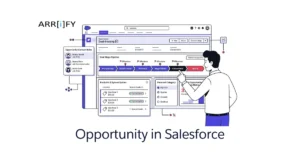
To grow your business, the word “deal” plays an important role. Salesforce is well-known for helping businesses organize and manage customer information. But what makes it even more powerful is its “Opportunity” feature which helps businesses track potential sales and customer interactions from start to finish, making it easier to close deals & increase revenue. … Read more
Business User, Getting Started with Salesforce, Hiring Salesforce People, Salesforce Admin Best Practices, Salesforce How-To Guides
Introduction Benefits of hiring a remote Salesforce developer: Hiring a remote Salesforce developer can offer several benefits to your business. Some of the benefits of working with a remote developer include: Access to a wider pool of talent By hiring remotely, you can access a larger pool of qualified candidates, rather than being limited to … Read more
Optimizing Salesforce, Business User, Salesforce Admin Best Practices, Salesforce How-To Guides
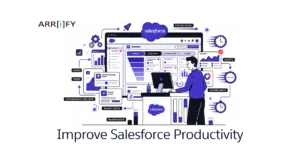
1. Salesforce Chatter (Tool): Chatter is a Salesforce real-time collaboration application that lets your users work together, talk to each other, and share information. Chatter connects, engages, and motivates users to work efficiently across the organization, regardless of role or location. Chatter lets users collaborate on sales opportunities, service cases, campaigns, and projects with embedded apps … Read more
Salesforce How-To Guides, Optimizing Salesforce, Salesforce Admin, Salesforce Admin Best Practices, Salesforce Customization, Salesforce Security
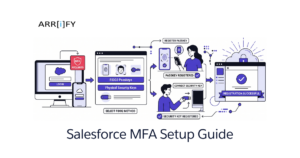
So, you’ve heard the news: Salesforce is enforcing new MFA rules for highly privileged users. If you have permissions like System Administrator, Modify All Data, or Author Apex, the days of typing in a six-digit code from your phone are officially over. To comply with this new mandate and protect your org from sophisticated credential theft (like Adversary-in-the-Middle … Read more
Salesforce Admin, Salesforce Admin Best Practices, Salesforce How-To Guides
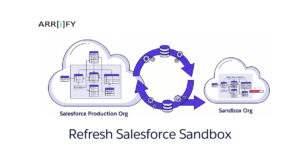
Refreshing your Salesforce Sandbox is like hitting the restart button on your computer. It is a very important process that updates your testing environment so it perfectly matches your live production setup. This gives you a blank, updated canvas to work on. A sandbox provides a safe, secure playground. In it, you can test new … Read more
Salesforce Basic, Business User, Quick Start, Salesforce Admin, Salesforce Admin Best Practices, Salesforce Customization, Salesforce How-To Guides
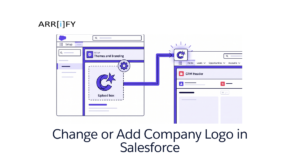
A company logo is the foundation of your business’s visual identity. When you add a company logo in Salesforce, you do more than just customize a piece of software—you reinforce your brand identity for your internal team, users, and customers. Whether you want it displayed on the App Launcher, the login page, or your outbound … Read more
Uncategorized, Integrating Salesforce, Salesforce Admin Best Practices
Introduction Salesforce is a cloud-based customer relationship management (CRM) platform that helps businesses of all sizes manage their customer interactions, sales, and marketing activities. One of the key features of Salesforce is its REST API, which allows developers to interact with the platform’s data and functionality using a variety of programming languages and tools. While … Read more
