Quick Start

Salesforce Quick Start Guide - Setting up CRM relationships
Business User, Getting Started with Salesforce, Optimizing Salesforce, Quick Start, Salesforce Basic

Salesforce Quick Start Guide: Kickstart Your CRM Journey

CRM systems, especially Salesforce, play a significant role in modern business operations. Beginning with Salesforce in the right manner sets the foundation for successful interactions with the platform. Starting with Salesforce can lead to better customer management and improved business outcomes. Salesforce Quick Start Basics For newcomers to Salesforce, it’s helpful to grasp its core … Read more

Read →
Feature image of Offshore Salesforce Development
Business User, Getting Started with Salesforce, Hiring Salesforce People, Quick Start

Offshore Salesforce Development: Save Up to 50% on Expert Talent

Introduction to Offshore Salesforce Development Offshore Salesforce development refers to the practice of outsourcing the development of Salesforce-based systems and solutions to a company or team located in a different country. This can include custom development work, such as building new applications or integrations, as well as maintenance and support for existing systems. Companies often … Read more

Read →
Feature Image of How to Create Custom Object Tabs in Salesforce Lightning 1
Salesforce How-To Guides, Improving Customer Experiences, Quick Start, Salesforce Admin, Salesforce Customization

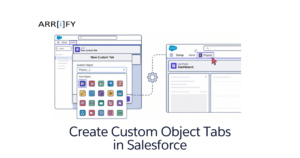
How to Create Custom Object Tabs in Salesforce Lightning

If you have built a custom object in Salesforce to store specialized data for your business, you might have noticed one issue: by default, it doesn’t appear in your main navigation menu. Without a dedicated tab, these custom objects exist securely in your backend database but are practically invisible and inaccessible to your day-to-day users. … Read more

Read →
Feature image of Change or Add Company Logo in Salesforce 1
Salesforce Basic, Business User, Quick Start, Salesforce Admin, Salesforce Admin Best Practices, Salesforce Customization, Salesforce How-To Guides

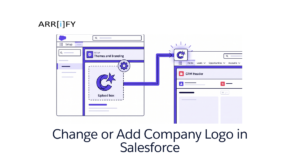
Change or Add Company Logo in Salesforce in 5 min

A company logo is the foundation of your business’s visual identity. When you add a company logo in Salesforce, you do more than just customize a piece of software—you reinforce your brand identity for your internal team, users, and customers. Whether you want it displayed on the App Launcher, the login page, or your outbound … Read more

Read →
Feature image of Object Sync for Salesforce
Business User, Integrating Salesforce, Quick Start, Salesforce Customization, Salesforce How-To Guides

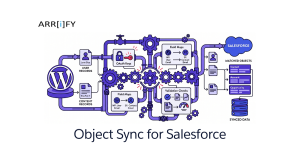
Object Sync for Salesforce: WordPress Setup Guide

What This Plugin Actually Does This plugin connects WordPress objects to Salesforce objects and keeps data moving between the two systems. That includes common WordPress data like users, posts, pages, comments, and supported custom post types. This is not the same thing as a simple form-to-lead plugin. If your goal is only to send a … Read more

Read →
Featured Image Web To Lead in Salesforce
Business User, Automating Salesforce, Improving Customer Experiences, Quick Start, Salesforce Admin, Salesforce Basic, Salesforce Customization

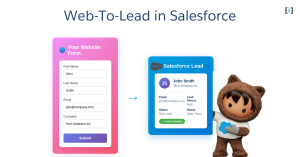
Web to Lead in Salesforce – DIY in 4 steps

If you want to capture leads from your website and automatically send them to Salesforce, Web-to-Lead is the feature you need. With Web-to-Lead, you can create a custom lead capture form that feeds lead data into Salesforce and generates new lead records instantly. In the following sections, we’ll explore how Web-to-Lead works, how to set … Read more

Read →
Address Fields in Salesforce
Business User, Improving Customer Experiences, Quick Start, Salesforce Admin, Salesforce Customization, Salesforce How-To Guides

Address Fields in Salesforce – How to Create and Manage

Introduction In Salesforce, the standard address field is a compound field that allows you to store and manage address information for records. It is called the “Address” field type and is commonly used in various standard and custom objects. The Address field in Salesforce is a combination of multiple sub-fields that together represent a complete … Read more

Read →
Live Agent Chat to Service Cloud
Business User, Improving Customer Experiences, Quick Start, Salesforce Admin, Salesforce Customization, Salesforce How-To Guides

How to Connect Live Agent Chat to Service Cloud Console

In this 10-minute guide, we’ll walk through the essential steps to set up Live Agent and integrate it into the Salesforce Service Cloud console. Following these best practices will have your team up and running with integrated chat support in no time. Before checking out this post check out How to Implement Salesforce Live Agent … Read more

Read →
Sales process
Business User, Optimizing Salesforce, Quick Start, Salesforce Admin, Salesforce Customization, Salesforce How-To Guides

What is the sales process in Salesforce? How to Create

Introduction In Salesforce, the sales process refers to a series of stages and steps that a sales team follows to convert leads into opportunities and ultimately close deals with customers. By using a sales process, your sales reps can take potential customers from being unaware of their needs to purchasing your products or services to … Read more

Read →
Salesforce online job boards
Quick Start, Business User, Hiring Salesforce People, Salesforce Basic

Top 10 Salesforce Job Board – Guaranteed to Elevate Your Career

Are you on the hunt for a Salesforce role or looking to hire a skilled Salesforce professional? The right job board can make all the difference. In the expanding world of Salesforce, specialized job boards offer a focused platform for job seekers and employers alike. This guide introduces you to the top Salesforce job boards, … Read more

Read →