Improving Customer Experiences
Salesforce Customization, Custom Development, Improving Customer Experiences, Optimizing Salesforce, Web Apps
What Makes Lightning Web Components Different You’re a JavaScript developer. You know React, or Vue, or maybe Angular — and your company just told you they need custom UI components built on Salesforce.The thought of learning a proprietary framework just to build a button component? Not appealing.That’s exactly the problem Lightning Web Components (LWC) was … Read more
Business User, Getting Started with Salesforce, Improving Customer Experiences, Optimizing Salesforce, Quick Start, Salesforce Basic
If you are here, you probably already know what Salesforce is and why CRM is essential for modern organizations. But what many teams don’t realize is just how much Salesforce can do beyond basic contact storage or deal tracking. Salesforce is a comprehensive cloud platform designed to streamline operations, align teams, and accelerate revenue. Whether … Read more
Salesforce How-To Guides, Improving Customer Experiences, Quick Start, Salesforce Admin, Salesforce Customization
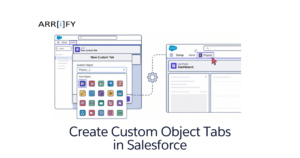
If you have built a custom object in Salesforce to store specialized data for your business, you might have noticed one issue: by default, it doesn’t appear in your main navigation menu. Without a dedicated tab, these custom objects exist securely in your backend database but are practically invisible and inaccessible to your day-to-day users. … Read more
Salesforce How-To Guides, Improving Customer Experiences, Salesforce Customization, Uncategorized
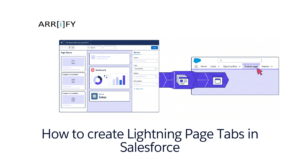
Lightning Page Tabs Lightning Page Tabs enable you to seamlessly include custom Lightning Pages directly into the Lightning Experience and the Salesforce mobile app. To include a Lightning app page in the Salesforce mobile navigation menu or a specific Lightning App, you must first create a custom tab for it. While the first time a user … Read more
Business User, Improving Customer Experiences, Optimizing Salesforce, Salesforce Admin, Salesforce Basic
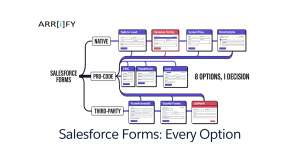
“Which Salesforce form should I use?” Wrong first question. The right one is: who’s filling it out, and where? That single answer narrows your options from a dozen down to one or two. Public visitor on your website? You want Web-to-Lead or Web-to-Case. Internal rep updating a record? Dynamic Forms. A multi-step application or onboarding flow? … Read more
Integrating Salesforce, Automating Salesforce, Improving Customer Experiences
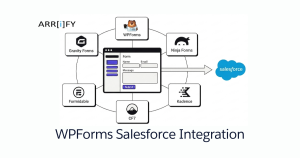
You’ve got a WordPress site and Salesforce. Someone fills out a contact form. That lead should land in Salesforce instantly — right person, right object, no copy-paste. The problem isn’t the concept. It’s picking the right form plugin. Not every WordPress form builder plays nicely with Salesforce, and the ones that do vary a lot … Read more
Optimizing Salesforce, CMS, CRM, Improving Customer Experiences, Integrating Salesforce
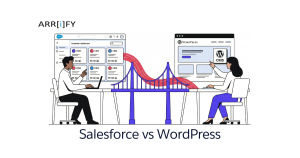
CRM vs CMS: Why This Comparison Exists Salesforce vs WordPress is a weird comparison on the surface. One manages customer relationships. The other manages website content. But businesses Google this because they’re trying to figure out where to invest — their CRM or their website — and how the two fit together. The difference between … Read more
Business User, Automating Salesforce, Improving Customer Experiences, Quick Start, Salesforce Admin, Salesforce Basic, Salesforce Customization
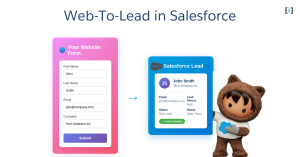
If you want to capture leads from your website and automatically send them to Salesforce, Web-to-Lead is the feature you need. With Web-to-Lead, you can create a custom lead capture form that feeds lead data into Salesforce and generates new lead records instantly. In the following sections, we’ll explore how Web-to-Lead works, how to set … Read more
Uncategorized, Improving Customer Experiences, Integrating Salesforce, Optimizing Salesforce
E-signatures have become a key part of modern business, helping teams move faster and close deals without delays. Salesforce users don’t need to rely on costly third-party apps or complex development to enable electronic signatures. This guide shows you simple, no-code and free ways to add e-signatures in Salesforce, helping your business move faster while … Read more
Improving Customer Experiences, Optimizing Salesforce, Salesforce Customization
Salesforce Experience Cloud is a powerful platform for building engaging digital experiences for customers, partners, and employees. But where do you start? The answer is simple salesforce experience cloud templates. These pre-built templates provide a foundation for creating stunning, functional, and user-friendly sites, portals, and communities. They come with industry-specific layouts, components, and features that … Read more
