Automating Salesforce

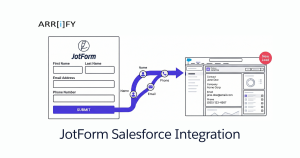
Feature Image of JotForm Salesforce Integration 1
Automating Salesforce, Business User, Salesforce Customization, Salesforce How-To Guides

JotForm Salesforce Integration: How to Connect Forms to Your CRM (Without the Headaches)

Why Connect JotForm to Salesforce? Every form submission that doesn’t land in your CRM is a lead you might lose. Someone fills out a contact form, and then what — you manually copy their name, email, and company into Salesforce? That works when you get five submissions a week. It falls apart at fifty. A … Read more

Read →
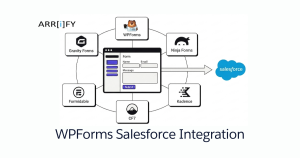
Feature Image of WPForms Salesforce Integration and 5 Other WordPress Form Plugins That Actually Work
Integrating Salesforce, Automating Salesforce, Improving Customer Experiences

6 WordPress Form Plugins That Connect to Salesforce (Compared)

You’ve got a WordPress site and Salesforce. Someone fills out a contact form. That lead should land in Salesforce instantly — right person, right object, no copy-paste. The problem isn’t the concept. It’s picking the right form plugin. Not every WordPress form builder plays nicely with Salesforce, and the ones that do vary a lot … Read more

Read →
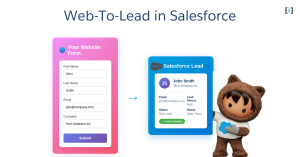
Featured Image Web To Lead in Salesforce
Business User, Automating Salesforce, Improving Customer Experiences, Quick Start, Salesforce Admin, Salesforce Basic, Salesforce Customization

Web to Lead in Salesforce – DIY in 4 steps

If you want to capture leads from your website and automatically send them to Salesforce, Web-to-Lead is the feature you need. With Web-to-Lead, you can create a custom lead capture form that feeds lead data into Salesforce and generates new lead records instantly. In the following sections, we’ll explore how Web-to-Lead works, how to set … Read more

Read →
The 5 Steps to Create a Trigger in Salesforce
Business User, Automating Salesforce, Salesforce Admin, Salesforce Admin Best Practices, Salesforce Basic, Salesforce Customization

Triggers in Salesforce: Powerful Concepts Every Developer Should Know

Introduction Salesforce Triggers are an essential part of the platform’s automation capabilities. They enable developers and admins to automate processes and customize application behavior by executing code before or after records are inserted, updated, deleted, or undeleted in Salesforce. Dive into Salesforce Automation: Key Features and Capabilities. What are Triggers? Triggers are Apex scripts that … Read more

Read →
integ 1
Automating Salesforce, Salesforce Customization, Salesforce How-To Guides

What Is Integration? 5 Big Benefits of Salesforce Integration

What Is Integration? Each enterprise has unique requirements and the software they use works differently. They are designed in different languages and possess their customized business logic, data storage, security, and visual representation. This is where Salesforce integration solution comes in. Salesforce integration establishes and handles entire communication between Salesforce CRM and other apps, using … Read more

Read →
Featured Image Salesforce Vs WordPressWeb To Case in Salesforce
Automating Salesforce, Business User, Getting Started with Salesforce, Salesforce How-To Guides

Salesforce Web to Case​: 101 Guide

Introduction Capture customer support requests from your website and route them to Salesforce effortlessly with Web-to-Case. This powerful feature lets you create custom forms to collect data and automatically generate up to 5,000 new case records daily, boosting response times and productivity. In this guide, you’ll learn how Web-to-Case works, its benefits, and step-by-step instructions … Read more

Read →