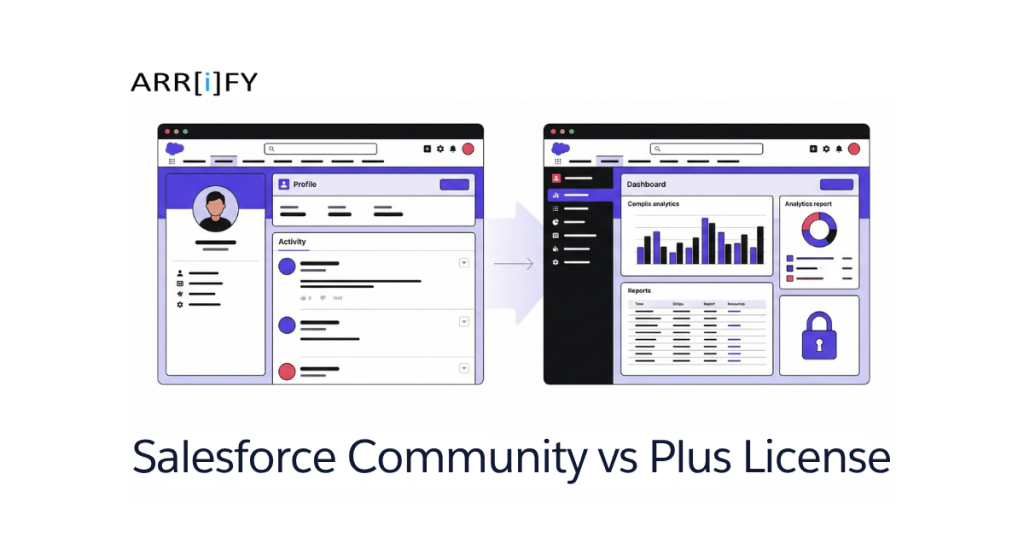
In Salesforce Experience Cloud (earlier called Community Cloud), portals and communities for external users are built using Customer Community and Customer Community Plus licenses.
Salesforce renamed Community Cloud to Experience Cloud in 2021, but the license names didn’t change so you’ll still see the old terms used everywhere.
Choosing between these two licenses is important. The wrong choice can limit what you can build, increase costs, or create problems later if you need to switch.
In this guide, we’ll explain the differences between Customer Community vs Customer Community Plus, how pricing works, when to upgrade to Plus, and whether a custom portal might be a better alternative altogether.
If you’re new to Experience Cloud, we recommend reading our Salesforce Experience Cloud overview first.
What is Community Licenses?
In Salesforce, the Community License is designed for external users who need access to a Salesforce Community. This license provides a way to interact with Salesforce data without giving them full access to the platform’s features.
To use Community Licenses, you have to purchase Community Licenses for your external users. Both Customer Community and Customer Community Plus licenses are available in two types such as member-based or login-based, depending on how you want to manage access. Each model has its own pricing structure.
Understanding License Pricing : Member vs. Login Based Licenses
One of the most common questions admins ask is: “Should I buy Member licenses or Login licenses?” Here’s how each model actually works:
Member-Based Licenses (Per-User)
With member-based licenses, users get access to the community just because they are members. They don’t need to log in a certain number of times to keep their access. This type of license is ideal for communities where users need regular access, such as customer support or partner networks. Access is based on being a member, not how often they log in.
With a Member license, you pay a fixed monthly fee per specific user. Every external user who needs access gets their own license, regardless of how often they log in.
- Customer Community: $5 per user per month
- Customer Community Plus: $15 per user per month
When to use Member licenses
- You need users to have persistent profiles with ongoing access
- Your users log in frequently (weekly or more)
- You have a predictable, stable user base (e.g., a partner portal with 200 known partners)
Login-Based Licenses (Per-Login)
With login-based licenses, users are given access based on how many times they log in. To use a login-based license, you first purchase a bucket of monthly logins shared across all your community users.
This works well for communities where users don’t need to log in all the time, but may log in occasionally for specific tasks, such as asking questions or completing a transaction. It helps businesses control costs based on how often users actually log in.
Salesforce provisions login-based user licenses at a 20:1 ratio so buying 1,000 monthly logins provisions 20,000 login-type user records.
- Customer Community: $2 per login
- Customer Community Plus: $6 per login
Key rule: Only one login per user per day is counted, no matter how many times they log in that day (daily unique login).
When to use Login licenses
- You want to control costs based on actual usage rather than provisioned users
- Your users log in infrequently (once or twice a month)
- You have a large user base but low activity (e.g., 10,000 registered customers but only 500 log in per month)
Quick Comparison : Customer Community vs. Customer Community Plus
Before diving into the details, here’s a side-by-side comparison of the two licenses:
| Criteria | Customer Community | Customer Community Plus |
|---|---|---|
| Business Scenarios | ||
| Self-Service Portal | ✓ Ideal for basic customer support | ✓✓ Advanced self-service with custom workflows |
| Partner Portal | ✗ Limited partner functionality | ✓✓ Full partner relationship management |
| Supplier Portal | ✗ Not suitable | ✓✓ Complete supplier collaboration |
| Customer Support | ✓ Basic case management | ✓✓ Advanced support with case teams |
| Knowledge Base | ✓ Standard article access | ✓✓ Customizable knowledge management |
| E-commerce Integration | ✗ Limited capabilities | ✓✓ Full B2B commerce support |
| Technical Requirements | ||
| API Calls/Day | 200 per member | 1,000 per member |
| Custom Objects | Up to 10 | Up to 110 |
| Record Types | Limited access | Full access |
| Sharing Rules | Basic | Advanced with custom settings |
| Role Hierarchy | None | Full support |
| Reports & Dashboards | Read-only access to reports shared by admins | Full access — create, edit, and share reports & dashboards |
| Data Storage | 2MB per member | 5MB per member |
| File Storage | 2MB per member | 5MB per member |
| Security Features | ||
| Authentication | Standard login | Multi-factor authentication |
| IP Restrictions | Basic | Advanced with whitelist |
| Password Policies | Standard | Custom policies |
| Session Management | Basic | Advanced with timeout rules |
| Encryption | Standard | Enhanced with Shield |
| Audit Trails | Basic | Comprehensive |
| Login Hours | ✗ Not available | ✓ Configurable |
| Device Activation | Standard | Enhanced security |
| Delegated Administration | Not available | Assign external admins to manage users |
| Customization Options | ||
| Page Layouts | Standard only | Fully customizable |
| Lightning Components | Basic components | Custom components |
| Process Builder | Limited access | Full access |
| Workflow Rules | Basic | Advanced |
| Approval Processes | ✗ Not available | ✓ Full support |
| Visual Workflow | Limited | Full capabilities |
| Custom Code | Limited | Full Apex support |
| Email Templates | Standard only | Custom templates |
| Integration Capabilities | ||
| REST API | Basic access | Full access |
| SOAP API | Limited | Full support |
| Bulk API | ✗ Not available | ✓ Available |
| Streaming API | ✗ Not available | ✓ Available |
| External Objects | Limited access | Full access |
| SSO Integration | Basic | Advanced |
| Third-party Apps | Limited | Full support |
| Data Import | Basic | Advanced with bulk |
| Cost Factors | ||
| License Cost | $ (Base level) | $$$ (3x base) |
| Implementation | $ (Simple) | $$$ (Complex) |
| Training | $ (Basic) | $$ (Advanced) |
| Maintenance | $ (Minimal) | $$ (Regular) |
| Support Needs | Basic support | Premium support |
| Storage Costs | Included | Additional costs likely |
| API Costs | Included | May incur extra charges |
| Scalability Considerations | ||
| User Limit | Moderate | High volume |
| Performance | Standard | Optimized |
| Data Volume | Limited | High capacity |
| Concurrent Users | Moderate | High |
| Global Access | Basic | Advanced with CDN |
| Backup Options | Standard | Advanced |
| Disaster Recovery | Basic | Comprehensive |
| Implementation Timeline | ||
| Setup | 2-4 weeks | 8-12 weeks |
Tip: If your community users only need to log cases and browse articles, Customer Community is sufficient. The moment you need reporting, role-based visibility, or delegated admin, you’ll need Customer Community Plus.
Salesforce Customer Community
The Salesforce Customer Community license is designed to connect your customers with each other and with your business. This community enables your customers to interact with your brand, access support resources, ask questions, share feedback, and participate in discussions or forums.
This license is a great choice for businesses that want a simple platform for customers to interact with the company, access resources, and manage their cases, especially in large-scale B2C scenarios.
The Customer Community license is similar to a High Volume Customer Portal license and is well-suited for B2C communities with large numbers of external users.
Accessible Standard Objects
- Account: View and interact with their own account data.
- Contact: View and interact with their own contact data.
- Case: View, create, and manage their own cases.
- Knowledge: Access knowledge articles (if enabled).
- Chatter: Post and comment on Chatter feeds related to cases and their account.
- Solution: View public solutions (if available).
- Event: View events (if shared).
Note: Leads and Opportunities are not accessible by default, and Custom Objects are only accessible if explicitly shared.
Check out a complete overview of Salesforce Objects.
Pricing Options
- Per-login model: $2 per login
- Member-based model: $5 per member monthly
The Customer Community model is best for businesses looking for a simple, cost-effective solution to provide self-service support and customer engagement, without requiring complex customization or advanced functionality.
Salesforce Customer Community Plus
Customer Community Plus is an upgraded version of the regular Customer Community. It builds upon the basic features of of the Customer Community License, plus additional functionality such as advanced access control, custom branding and themes, integration with external systems, advanced reporting and analytics, and higher API limits.
This version is designed for businesses that need more powerful community features, such as customization, increased reporting capabilities, and enhanced administrative control. It’s ideal for organizations that require greater flexibility and more robust interaction between customers and the business.
Accessible Standard Objects
- Account: View and interact with their own account data.
- Contact: View and interact with their own contact data.
- Case: View, create, and manage their own cases.
- Knowledge: Full access to knowledge articles.
- Chatter: Post and comment on Chatter, participate in groups, and follow cases and accounts.
- Solution: Access and interact with solutions (if public).
- Event: View and register for events (if shared).
- Content: Access Salesforce content libraries (if shared).
Note: Leads and Opportunities are not accessible by default, but can be shared via custom configurations.
Pricing Options
- Per-login model: $6 per login
- Member-based model: $15 per member monthly
Customer Community Plus is best suited for businesses that need advanced features like custom roles, enhanced reporting, and integration with other Salesforce products. It’s designed for organizations that require more than just basic support tools and want a more personalized and connected customer experience.
Salesforce Community License Login Calculation
With login-based licenses in Salesforce Communities, you’re essentially purchasing a set number of logins that can be used by your members each month. Here’s how it works :
How Logins Are Calculated
Login Consumption
Each time a community user logs into your Salesforce site, they consume one login. However, if they log in multiple times on the same day, only one login is counted per user per day. This is referred to as a daily unique login. After logged in, switching between sites does not consume extra logins.
Login Tracking
Logins are tracked based on the number of logins each user makes within a specified period, whether it’s daily or monthly. Salesforce provides monitoring tools, such as Login History in Setup, and Login Reports that allow administrators to track login activity and see how many logins have been used in a given period.
Session Timeout
The session timeout period for community users is configurable up to a maximum of 24 hours.
Login Considerations
Viewing public pages or accessing content without logging in does not count as a login.
Purchasing and Provisioning Logins
Monthly Login to License Ratio
The ratio of monthly logins you purchase to the number of login licenses provisioned is 1:20. For example, if you purchase 1,000 monthly logins, Salesforce will provision 20,000 login licenses in your organization.
Login Overages
Login overages are calculated at the end of each 12-month period. If you exceed your allocated logins, Salesforce will charge for the overage based on your contract terms. These overages are calculated using daily unique logins.
Exceeding Login Limits
If a community user exceeds their login limits, they will not be able to log in until the limit resets. Salesforce will typically give an error message when the login limit is reached.
Salesforce Community License Selection Guide
This guide helps to choose Customer Community and Customer Community Plus based on the given criteria:
| Choose Customer Community When | Choose Customer Community Plus When |
|---|---|
| You need basic customer self-service capabilities. | You require advanced customer collaboration features. |
| Your primary focus is B2C engagement. | You’re managing B2B partner relationships. |
| Case management needs are straightforward. | You need complex case management with teams and routing. |
| You require basic knowledge base access. | You need custom object access (up to 110). |
| Budget constraints are a primary concern. | Advanced security and sharing rules are essential. |
| User roles and permissions can be simple. | You need role hierarchies and delegated administration. |
| Basic reporting suffices. | Advanced analytics and custom reports are required. |
| API integration needs are minimal. | You need extensive API access and integration capabilities. |
| Content sharing needs are basic. | You require advanced content management and workflows. |
| User base is relatively small (up to 100). | You plan to scale to thousands of users. |
| Custom development requirements are minimal. | You need extensive customization and development. |
| Standard templates meet your needs. | You require custom Lightning components and pages. |
| Basic authentication is sufficient. | You need multi-factor authentication and enhanced security. |
| Data sharing requirements are simple. | Complex sharing models and territory management are needed. |
| Storage requirements are modest. | You need larger storage allocations and CDN capabilities. |
Why Upgrade to Customer Community Plus? : A Technical Deep Dive
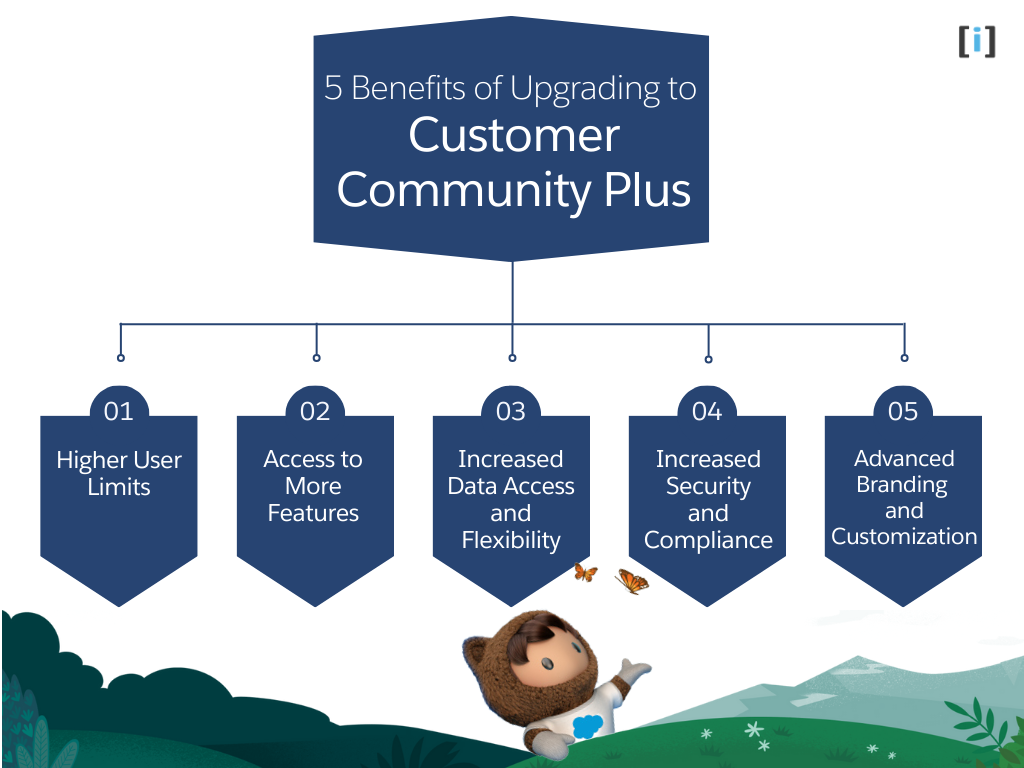
The standard Customer Community license works well for high-volume self-service portals. But as your community grows, its limitations start to show. Here’s exactly what you unlock with Plus and why it matters.
Role-Based Sharing & Advanced Data Access
This is the #1 reason organizations upgrade to Plus.
With the standard Customer Community license, external users have no role hierarchy. They can only see their own records (via Sharing Sets tied to their Contact or Account). There’s no way to let a manager see their team’s cases, or share records across accounts.
Customer Community Plus unlocks:
- Up to 3 external roles in the role hierarchy (e.g., Executive → Manager → User)
- Sharing Rules —> create criteria-based or ownership-based sharing rules for external users
- Apex Managed Sharing —> programmatically share records with specific users or groups using Apex code
- Manual Sharing —> allow users to share individual records with other community members
- Teams —> add external users to Account Teams or Case Teams for collaborative visibility
Real-world scenario: A B2B supplier portal where a regional manager needs to see all cases submitted by their team across multiple accounts. This is impossible with the standard Customer Community license.
Reports & Dashboards
Standard Customer Community users get read-only access to reports and only reports the admin explicitly shares with them. They cannot build their own.
Customer Community Plus unlocks:
- Create, edit, and run reports and dashboards
- Access to the Reports tab and Dashboards tab in the community
- Ability to schedule and export reports
- Create custom report types (admin-configured)
This is critical for any community where external users need to self-serve analytics tracking their own case resolution times, monitoring order histories, or reviewing account activity.
Delegated External Administration
With Plus, you can assign Delegated External User Administrators external users who can manage other external users within their account. They can:
- Create new community users
- Reset passwords
- Enable/disable user accounts
- Assign permission sets
This drastically reduces the burden on your internal admin team, especially in partner communities with hundreds of accounts.
API Access
Standard Customer Community licenses have no API access. Customer Community Plus includes API access, allowing external systems to interact with Salesforce on behalf of community users. This is essential for:
- Automated data syncing
- Mobile app integrations
- Third-party portal front-ends
Salesforce Communities vs. Custom Portals : When License Costs Don’t Add Up
Salesforce Experience Cloud is powerful but its licensing costs scale directly with your number of users.
At 1,000+ Customer Community Plus users (around $15/user/month), that’s roughly $180,000 per year and that’s before you even factor in core Salesforce platform costs.
At that point, it’s worth to asking: Is this the most cost-effective approach?
For some organizations, a custom web portal connected to Salesforce via API is a more cost-effective and flexible alternative.
When a Custom Portal Makes Sense
| Consideration | Salesforce Community | Custom Portal |
|---|---|---|
| Per-user licensing cost | $5–$15/user/month | No per-user license fees |
| UI/UX flexibility | Limited to Experience Builder templates and Lightning components | Fully custom any design, any framework |
| Data access | Native Salesforce data access with sharing model | Connects to Salesforce via REST/SOAP API so you control what’s exposed |
| Time to build | Fast (if your needs fit the templates) | Longer initial build, but full control |
| Ongoing maintenance | Managed by Salesforce (platform updates are automatic) | Managed by your team or development partner |
Conclusion
Choosing between Salesforce Customer Community and Customer Community Plus comes down to what your external users need to do:
- Customer Community is the right choice for straightforward, high-volume B2C portals where users primarily log cases, read knowledge articles, and manage their own account information. It’s cost-effective at $5/user/month (or $2/login) and perfectly adequate when you don’t need role-based sharing or reporting.
- Customer Community Plus is necessary when your community requires role-based data access, advanced sharing rules, reports and dashboards, delegated administration, or API access. At $15/user/month (or $6/login), it’s 3× the cost but the features it unlocks are often non-negotiable for B2B portals, partner communities, and any use case involving multi-level data visibility.
- Custom Portal — if licensing costs are scaling beyond your budget, or you need a user experience that goes beyond Experience Cloud’s templates, consider a custom Salesforce-integrated portal as an alternative.
To decide which license is right for you, think about your business size and what features you need. If you want something simple and budget-friendly, go for Customer Community. But if your business has complex needs or plans to grow, Customer Community Plus is a better fit.
FAQs
What is the difference between member-based and login-based licenses?
Member-based licenses: Access based on membership, regardless of logins. Good for regular use.
Login-based licenses: Access based on the number of logins per month. Ideal for occasional use.
Do your users need access to Reports and Dashboards?
Customer Community: Limited access to reports (read-only).
Customer Community Plus: Full access to reports and dashboards, allowing users to create, manage, and share them.
What are the key benefits of upgrading from Customer Community to Customer Community Plus?
Upgrading to Customer Community Plus offers enhanced features like greater customization, advanced security, higher data and storage limits, API integration, and more robust reporting and analytics.
What level of support does Salesforce provide for these licenses?
For Customer Community, Salesforce offers basic support, while Customer Community Plus includes premium support, ensuring that more complex needs and queries are handled with a higher level of attention.
Can I scale up my Salesforce community as my business grows?
Yes, Customer Community Plus offers higher scalability options, including the ability to handle more users, increased API call limits, and the capacity to support complex workflows and integrations, making it ideal for growing businesses.