
Salesforce How-To Guides

Salesforce Sales Path Your Blueprint for Sales Success
Business User, Improving Customer Experiences, Salesforce Admin, Salesforce Basic, Salesforce Customization, Salesforce How-To Guides

Salesforce’s Sales Path: Your Blueprint for Sales Success

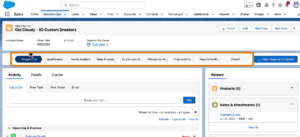
Sales Path, within the Salesforce ecosystem, is a tool specifically designed to guide sales representatives through the stages of the sales process. It provides a structured approach by displaying the key stages and fields for each step of the sales cycle. This feature is especially beneficial in ensuring that sales teams adhere to best practices … Read more

Read →
Sales process
Business User, Optimizing Salesforce, Quick Start, Salesforce Admin, Salesforce Customization, Salesforce How-To Guides

What is the sales process in Salesforce? How to Create

Introduction In Salesforce, the sales process refers to a series of stages and steps that a sales team follows to convert leads into opportunities and ultimately close deals with customers. By using a sales process, your sales reps can take potential customers from being unaware of their needs to purchasing your products or services to … Read more

Read →
Untitled design 13
Business User, Getting Started with Salesforce, Hiring Salesforce People, Salesforce Basic, Salesforce How-To Guides

How Freelance Salesforce Administrator Supercharge Your Startup

If a business is using Salesforce and wants to utilize it at 100%, there is no doubt it requires an Admin who takes care of Salesforce. Parallel to Salesforce, the freelance economy, especially in the tech sector, is growing faster. People are looking for flexibility, not the 9-to-5 traditional job. When these two worlds – … Read more

Read →
Uncategorized, Improving Customer Experiences, Salesforce Customization, Salesforce How-To Guides

Custom Links in Salesforce Lightning: A Comprehensive Guide

Introduction Navigating through Salesforce doesn’t have to be a daunting task. Enter Custom Links in Salesforce Lightning – an efficient, user-friendly feature that reduces unnecessary clicks and enhances user experience. By leveraging of the standard “Rich Text” component in Lightning App Builder, creating and integrating these custom links becomes a walk in the park. This … Read more

Read →
Uncategorized, Automating Salesforce, Salesforce Customization, Salesforce How-To Guides

The Ultimate Guide to Salesforce Flow Variables: Boost Your Productivity by 50%

Introduction Salesforce Flow is a powerful automation tool that allows users to create and execute complex business processes. With Salesforce Flow, users can automate repetitive tasks, streamline workflows, and ensure consistency in data entry and management. One of the key features of Salesforce Flow is the use of Flow Variables. Salesforce Flow Variables are placeholders … Read more

Read →
Feature Image of 4 Ways to Enable Salesforce Dark Mode
Salesforce How-To Guides, Getting Started with Salesforce, Salesforce Basic

How to Enable Salesforce Dark Mode (Native + Extension)

Yes, Salesforce now supports dark mode natively. As of the Winter ’26 release, Salesforce dark mode is available directly within the platform for certain editions, so you don’t need any extensions to use it. You can simply enable it from your settings if your org supports the feature. If you’re on an older release or … Read more

Read →
image 53
Salesforce Admin, Business User, Improving Customer Experiences, Salesforce Customization, Salesforce How-To Guides

Customize opportunity stages in salesforce

Why Customize Opportunity Stages? Salesforce is a powerful tool for managing customer relationships and sales processes. One key feature of Salesforce is the ability to track the progress of potential sales opportunities through different stages, from initial lead to closed won or lost. These stages can be customized to fit the specific needs of a … Read more

Read →
Salesforce Basic, Salesforce Admin, Salesforce Admin Best Practices, Salesforce Customization, Salesforce How-To Guides

A Comprehensive Guide to Managing Static Resources in Salesforce

Static resources in Salesforce are files that can be used in various parts of the platform, such as Visualforce pages, Apex classes, and Lightning components. These resources can include images, stylesheets, JavaScript files, and other types of documents. By using static resources, you can easily manage and reuse files across your organization, making it easier … Read more

Read →