Quick Start

uploadCompanyLogo
Salesforce Basic, Business User, Quick Start, Salesforce Admin, Salesforce Admin Best Practices, Salesforce Customization, Salesforce How-To Guides

Change or Add Company Logo in Salesforce in 5 min

This tutorial will teach you how to add a company logo in Salesforce. A company logo is a visual representation of your business. It can be displayed on various pages in Salesforce, such as the login page and the top of the page header. By adding a company logo in Salesforce, you can personalize and … Read more

Read More →


9144 Converted
Business User, Getting Started with Salesforce, Hiring Salesforce People, Quick Start

Offshore salesforce development

Introduction to Offshore Salesforce Development Offshore Salesforce development refers to the practice of outsourcing the development of Salesforce-based systems and solutions to a company or team located in a different country. This can include custom development work, such as building new applications or integrations, as well as maintenance and support for existing systems. Companies often … Read more

Read More →
Salesforce Developer Support UK
Business User, Hiring Salesforce People, Quick Start, Salesforce Admin, Salesforce Admin Best Practices, Salesforce Basic

UK Salesforce developer support with Best Practices of 2022-23

If your business is using Salesforce, you’ll want to make sure you have access to reliable support in case you run into any problems. In this blog post, we’ll show you how we provide Salesforce developer support in the United Kingdom. Who are we When you buy Salesforce, you’re not just buying its products. To … Read more

Read More →
Lightning Object Creator
Salesforce Admin, Quick Start, Salesforce Admin Best Practices, Salesforce Customization, Salesforce How-To Guides

Lightning object creator – The ultimate guide in 10 min

Introduction: What is the Lightning Object Creator? The Lightning Object Creator is a tool provided by Salesforce that allows users to create custom objects in a user-friendly, point-and-click interface. With the Lightning Object Creator, users can quickly and easily create custom objects with custom fields, page layouts, and more, without needing to write any code. … Read more

Read More →
image 20
Business User, Integrating Salesforce, Quick Start, Salesforce Admin, Salesforce Customization, Salesforce How-To Guides

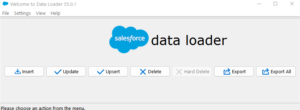
Effortlessly Import Data in Salesforce – 5 Powerful Tools

Introduction Salesforce is a cloud-based Customer Relationship Management (CRM) software that provides a comprehensive suite of tools to help businesses manage their customer interactions and data. One of the key features of Salesforce is the ability to import data, which allows businesses to quickly and easily add information to their Salesforce databases. Importing data is … Read more

Read More →
Featured Image Custom Object Tabs
Uncategorized, Improving Customer Experiences, Quick Start, Salesforce Admin, Salesforce Customization, Salesforce How-To Guides

How to Create Custom Object Tabs in Salesforce Lightning

Custom Object Tabs in Salesforce are like special buttons that help users quickly access and interact with custom data. Custom objects are created to store specific information that doesn’t fit into the standard Salesforce categories. The tabs make it easier to manage this information by providing a simple way to view, edit, and work with … Read more

Read More →
image
Business User, Getting Started with Salesforce, Optimizing Salesforce, Quick Start, Salesforce Admin, Salesforce Basic

Implement Salesforce as easy as pie : 20 min guide

Implementing Salesforce is not an easy process. It includes identifying challenges, mapping them into Salesforce, Data Migration, Configuration and customization, Custom Development, Testing, User Training, and continuous maintenance. This guide is for business users who wish to implement Salesforce to grow their business. In this guide we will discuss: Choose what to implement You might … Read more

Read More →
Business User, Getting Started with Salesforce, Optimizing Salesforce, Quick Start, Salesforce Basic

What is CRM? – Use, Benefits & Future in the next 10 Years

What is CRM? Basic Definition of CRM CRM stands for Customer Relationship Management and refers to all strategies, techniques, tools, and technologies used by enterprises for developing, retaining, and acquiring customers. A simple definition of CRM When people talk about CRM, they are usually referring to a CRM system, a tool that helps with contact management, … Read more

Read More →