Salesforce

Feature Image of Salesforce Community vs. Plus License
Salesforce Customization, Improving Customer Experiences, Optimizing Salesforce, Salesforce Admin, Salesforce Admin Best Practices

Salesforce Customer Community vs. Customer Community Plus: Which License Is Right for You?

In Salesforce Experience Cloud (earlier called Community Cloud), portals and communities for external users are built using Customer Community and Customer Community Plus licenses. Salesforce renamed Community Cloud to Experience Cloud in 2021, but the license names didn’t change so you’ll still see the old terms used everywhere. Choosing between these two licenses is important. … Read more

Read →
Feature Image of 4 Ways to Enable Salesforce Dark Mode
Salesforce How-To Guides, Getting Started with Salesforce, Salesforce Basic

How to Enable Salesforce Dark Mode (Native + Extension)

Yes, Salesforce now supports dark mode natively. As of the Winter ’26 release, Salesforce dark mode is available directly within the platform for certain editions, so you don’t need any extensions to use it. You can simply enable it from your settings if your org supports the feature. If you’re on an older release or … Read more

Read →
uploadCompanyLogo
Salesforce Basic, Business User, Quick Start, Salesforce Admin, Salesforce Admin Best Practices, Salesforce Customization, Salesforce How-To Guides

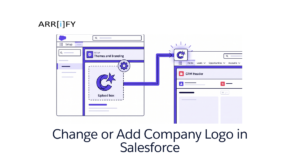
Change or Add Company Logo in Salesforce in 5 min

This tutorial will teach you how to add a company logo in Salesforce. A company logo is a visual representation of your business. It can be displayed on various pages in Salesforce, such as the login page and the top of the page header. By adding a company logo in Salesforce, you can personalize and … Read more

Read →
QR Code on Contact - Salesforce
Business User, Salesforce Admin, Salesforce Customization, Salesforce How-To Guides

Effortless Salesforce QR Code Generator: Master It in Just 5 Minutes!

Are you searching for an efficient way to integrate QR codes in Salesforce? Look no further! QR Codes or Quick Response Codes, those nifty two-dimensional barcodes, have changed how businesses bridge the gap between the digital and physical worlds. And with Salesforce, a leader in the CRM domain, implementing these QR codes has never been … Read more

Read →
Featured Image Custom Object Tabs
Uncategorized, Improving Customer Experiences, Quick Start, Salesforce Admin, Salesforce Customization, Salesforce How-To Guides

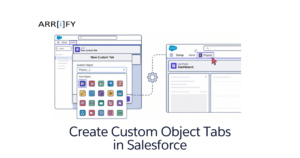
How to Create Custom Object Tabs in Salesforce Lightning

Custom Object Tabs in Salesforce are like special buttons that help users quickly access and interact with custom data. Custom objects are created to store specific information that doesn’t fit into the standard Salesforce categories. The tabs make it easier to manage this information by providing a simple way to view, edit, and work with … Read more

Read →
image
Business User, Getting Started with Salesforce, Optimizing Salesforce, Quick Start, Salesforce Admin, Salesforce Basic

Implement Salesforce as easy as pie : 20 min guide

Implementing Salesforce is not an easy process. It includes identifying challenges, mapping them into Salesforce, Data Migration, Configuration and customization, Custom Development, Testing, User Training, and continuous maintenance. This guide is for business users who wish to implement Salesforce to grow their business. In this guide we will discuss: Choose what to implement You might … Read more

Read →
Site with Salesforce
Business User, Improving Customer Experiences, Optimizing Salesforce, Salesforce Basic, Salesforce Customization, Salesforce How-To Guides

How to create a Salesforce Site with Force.com in Just 10 Minutes

Introduction to Salesforce site (Force.com) Companies are using Salesforce to keep all the business-specific data that include products, pricing, users, knowledge articles, testimonials, etc. This data can be accessed only by internal users who have Login credentials of Salesforce. What if any organization needs to share any of this data with the public and the … Read more

Read →