Salesforce Customization

Salesforce Sales Path Your Blueprint for Sales Success
Business User, Improving Customer Experiences, Salesforce Admin, Salesforce Basic, Salesforce Customization, Salesforce How-To Guides

Salesforce’s Sales Path: Your Blueprint for Sales Success

Sales Path, within the Salesforce ecosystem, is a tool specifically designed to guide sales representatives through the stages of the sales process. It provides a structured approach by displaying the key stages and fields for each step of the sales cycle. This feature is especially beneficial in ensuring that sales teams adhere to best practices … Read more

Read →
image 20
Business User, Integrating Salesforce, Quick Start, Salesforce Admin, Salesforce Customization, Salesforce How-To Guides

Effortlessly Import Data in Salesforce – 5 Powerful Tools

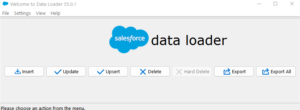
Introduction Salesforce is a cloud-based Customer Relationship Management (CRM) software that provides a comprehensive suite of tools to help businesses manage their customer interactions and data. One of the key features of Salesforce is the ability to import data, which allows businesses to quickly and easily add information to their Salesforce databases. Importing data is … Read more

Read →
QR Code on Contact - Salesforce
Business User, Salesforce Admin, Salesforce Customization, Salesforce How-To Guides

Effortless Salesforce QR Code Generator: Master It in Just 5 Minutes!

Are you searching for an efficient way to integrate QR codes in Salesforce? Look no further! QR Codes or Quick Response Codes, those nifty two-dimensional barcodes, have changed how businesses bridge the gap between the digital and physical worlds. And with Salesforce, a leader in the CRM domain, implementing these QR codes has never been … Read more

Read →
image 53
Salesforce Admin, Business User, Improving Customer Experiences, Salesforce Customization, Salesforce How-To Guides

Customize opportunity stages in salesforce

Why Customize Opportunity Stages? Salesforce is a powerful tool for managing customer relationships and sales processes. One key feature of Salesforce is the ability to track the progress of potential sales opportunities through different stages, from initial lead to closed won or lost. These stages can be customized to fit the specific needs of a … Read more

Read →
Uncategorized, Improving Customer Experiences, Salesforce Customization, Salesforce How-To Guides

Custom Links in Salesforce Lightning: A Comprehensive Guide

Introduction Navigating through Salesforce doesn’t have to be a daunting task. Enter Custom Links in Salesforce Lightning – an efficient, user-friendly feature that reduces unnecessary clicks and enhances user experience. By leveraging of the standard “Rich Text” component in Lightning App Builder, creating and integrating these custom links becomes a walk in the park. This … Read more

Read →
Salesforce Basic, Salesforce Admin, Salesforce Admin Best Practices, Salesforce Customization, Salesforce How-To Guides

A Comprehensive Guide to Managing Static Resources in Salesforce

Static resources in Salesforce are files that can be used in various parts of the platform, such as Visualforce pages, Apex classes, and Lightning components. These resources can include images, stylesheets, JavaScript files, and other types of documents. By using static resources, you can easily manage and reuse files across your organization, making it easier … Read more

Read →